CSCS Native Scripting
iPhone / Education
CSCS (Customized Scripting in C#) can now be used for native mobile development.
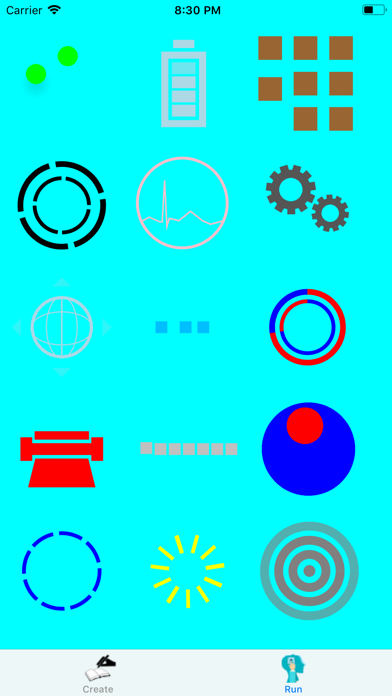
This App contains a CSCS interpreter that you can use to play around with CSCS. There are also a few pre-set examples.
You can create any CSCS scripting code in one tab, "Create", and then see the results in another tab, "Run".
How to use CSCS for mobile development is described at:
- https://msdn.microsoft.com/en-us/magazine/mt829272
- http://www.codemag.com/article/1711081
- https://www.smashingmagazine.com/2020/01/cscs-scripting-language-cross-platform-development/
A Syncfusion E-book describing CSCS:
- https://www.syncfusion.com/resources/techportal/details/ebooks/implementing-a-custom-language
Another Syncfusion E-book on how to use it for mobile development:
https://www.syncfusion.com/ebooks/writing_native_mobile_apps_in_a_functional_language_succinctly
The CSCS repository with the description of the language is at:
https://github.com/vassilych/cscs
The CSCS for mobile repository is at:
https://github.com/vassilych/mobile
This App itself was produced in CSCS. Here is the complete CSCS code:
=========================
AutoScale();
SetBackgroundColor("cyan");
AddOrSelectTab("Create", "test.png", "test2.png");
__locComboFiles = GetLocation("ROOT", "CENTER", "ROOT", "TOP", -100, 40);
AddCombobox(__locComboFiles, "__comboFiles", "center:white:clear", 350, 60);
__optionsComboFiles = {"Sandbox", "Hello, World!", "Ads", "Busy Indicators", "Unit Tests"};
AddWidgetData(__comboFiles, __optionsComboFiles, "", "center");
SetFontSize(__comboFiles, 13);
SetValue(__comboFiles, "text2", "Done");
SetValue(__comboFiles, "alignment", "center");
AddAction(__comboFiles, "comboFilesChanged");
__locRemoveKeyboard = GetLocation(__comboFiles, "RIGHT", __comboFiles, "CENTER", 10);
AddButton(__locRemoveKeyboard, "__buttonKeyboard", "Keyboard", 150, 60);
SetFontSize(__buttonKeyboard, 12);
AddAction(__buttonKeyboard, "hideKeyboard");
__locScriptView = GetLocation("ROOT", "CENTER", __comboFiles, "BOTTOM", 0, 10);
AddTextEditView(__locScriptView, "__textView", "", 600, 900);
SetFontSize(__textView, 14);
AddOrSelectTab("Run", "learn.png", "run_icon.png");
function hideKeyboard(sender, arg) {
ShowHideKeyboard(__textView, false);//!IsKeyboard(__textView));
}
function comboFilesChanged(sender, arg) {
row = GetValue(sender);
WriteConsole("Combo row=", row);
text = "";
if (row == 1) {
text = ReadFileAsString("sfhello.cscs");
} elif (row == 2) {
text = ReadFileAsString("ads.cscs");
} elif (row == 3) {
text = ReadFileAsString("busyIndicators.cscs");
} elif (row == 4) {
text = ReadFileAsString("unitTests.cscs");
}
SetText(__textView, text);
}
function tabSelected(sender, arg) {
tabId = int(arg);
if (tabId != 1) {
return;
}
script = GetText(__textView);
RemoveTabViews(1);
try {
Run(script);
} catch(exc) {
AlertDialog("CSCS", exc);
WriteConsole(exc);
}
}
OnTabSelected("tabSelected");
SelectTab(0);
Quoi de neuf dans la dernière version ?
- Updating to the newest CSCS Version