Trace & Sketch Digital Drawing
iOS Universel / Graphisme et design
Turn any photo into a sketch with Trace and Sketch Digital Drawing.
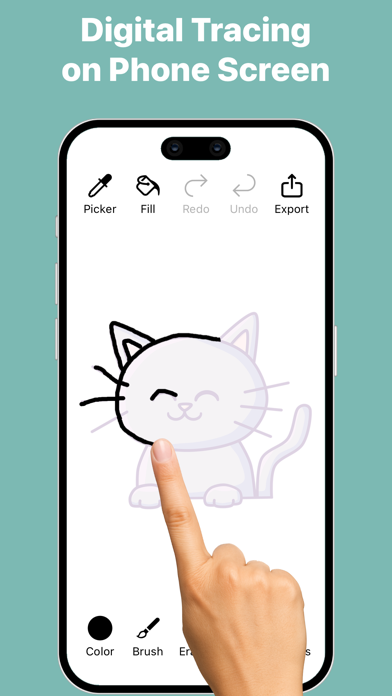
Your screen becomes a digital tracing paper — select an image, adjust the transparency, and start drawing directly with your finger or stylus. Simple, smooth, and perfect for beginners, hobby artists, and anyone who wants to practice drawing.
How it works:
Pick an image from your gallery or camera.
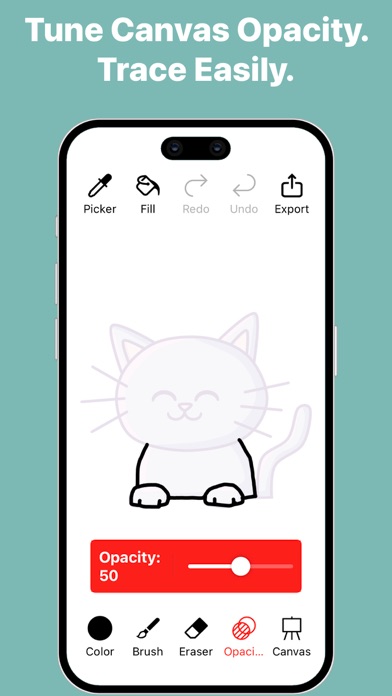
Adjust the transparency to see your image clearly under the tracing layer.
Draw freely on the screen — all strokes are saved automatically.
Choose a canvas or plain background to finish your artwork.
Export your drawing in multiple formats, with or without background.
Features:
Adjustable Transparency – Control how much of the base image is visible.
Natural Drawing Tools – Brush with adjustable stroke size, opacity, and pattern styles.
Eraser & Undo/Redo – Erase strokes with adjustable width and fix mistakes using undo and redo.
Color Picker – Choose colors easily or pick colors directly from your image or drawing.
Fill Tool (Pot Fill) – Tap a closed area to fill it instantly with the selected color.
Zoom, Drag, Rotate – Zoom, drag, and rotate the canvas for precise tracing.
Multiple Canvases – Use built-in canvases or create a plain colored background.
Automatic Save – Every stroke is saved instantly.
Gallery Management – View all your sketches, open them for editing, export them, duplicate sketches, or delete sketches you no longer need.
Export Drawing Options-
Export Without Canvas – Save the pure drawing with no background; perfect for stickers, collages, and overlays.
Export With Base Image – Save your drawing directly on the original photo for photo-based artwork.
Export With Canvas – Save your artwork as a drawing on a selected canvas.
Select Dimensions – Choose from multiple image resolution options before exporting.
Quick Share – Use the iOS share sheet to save or send your artwork anywhere.
Export Video (Time-Lapse)-
Time-Lapse Replay – Export a replay video that shows the entire drawing process from start to finish.
Multiple Video Resolutions – Choose the video quality before exporting.
Whether you’re tracing portraits, practicing outlines, creating digital art, or simply sketching for fun, Trace and Sketch makes it easy and enjoyable — no paper, no setup, no AR required.
Quoi de neuf dans la dernière version ?
Improved tool settings and popup interactions for a smoother drawing experience.
Simplified color picking with a more streamlined and accessible workflow.
Enhanced tool layout and guidance to make controls easier to find and use.
UI refinements, bug fixes, and performance improvements.