iPhoneAddict Apps
  • Actualités
  • Accueil Apps
  • iPhone
  • iPad
  • Universelles
  • Mac
  • Apple TV
KG KultureGeek
App
iPhone / iPad Télécharger iAddict v5 Mac Télécharger iAddict Mac
  • Actualités
  • Accueil Apps
  • iPhone
  • iPad
  • Universelles
  • Mac
  • Apple TV
  • Archives keynotes
  • Firmwares & iTunes
  • Contactez-nous
  • Comparateur de prix
  • KultureGeek
Accueil » Liste des Apps » Apps Mac » Graphisme et design » Photo Studio Pro - Clipart & Stickers
L'application n'est plus disponible sur l'App Store français
2.0 macOS €7,99€ BraveCloud 0 0 ••• 60% Off Time Limited Offer ••• Photo Studio Pro - Clipart & Stickers contains 600 high quality clipart images. It can be used in various activities. Create party invitations, cards with messages for friends or family, posters to...
Photo Studio Pro - Clipart & Stickers

Photo Studio Pro - Clipart & Stickers

macOS / Graphisme et design

7,99€
Acheter sur l'App Store
Facebook X E-mail

••• 60% Off Time Limited Offer •••

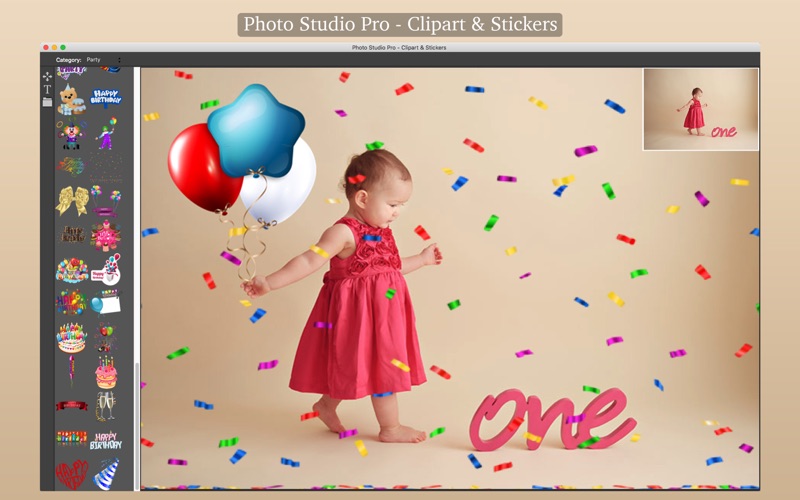
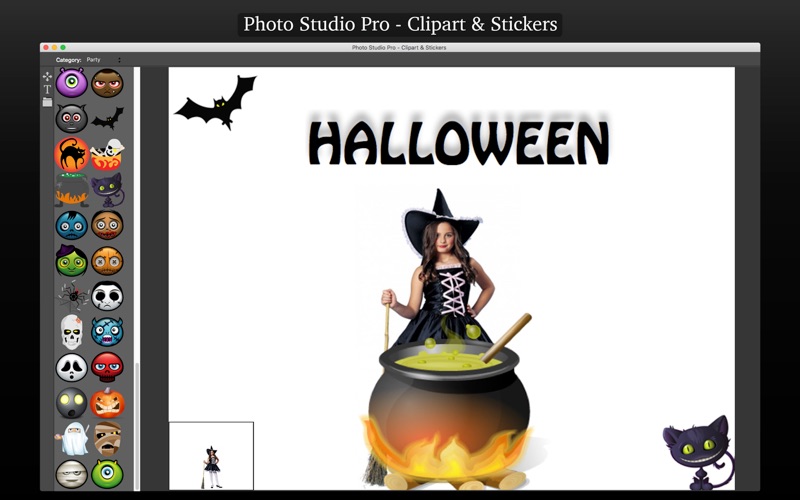
Photo Studio Pro - Clipart & Stickers contains 600 high quality clipart images. It can be used in various activities. Create party invitations, cards with messages for friends or family, posters to promote your product on social networks or simply decorate your images with custom text and elegant clipart's.

* It offers wide variety of color images with transparent backgrounds classified into 7 categories:

• Animals
• Christmas
• Food
• Hallowen
• Hospital
• Love
• Party

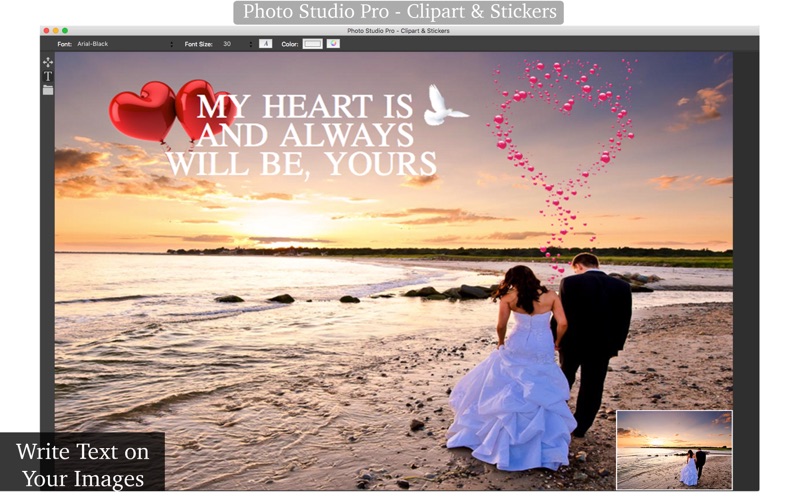
* Text on photo: Allows you to add text on images. Add captions, quotes or anything else you can imagine just with the right click.

* Adding Images: Allows you to add a image or with a right click to add one or more pictures.

* Export Images: Select the format you want: you can choose between PNG, JPEG, JPEG200, TIFF and BMP.

••••••••••••••••••••••••••••••••••••••••••••••••••••••••••••
How to use:
••••••••••••••••••••••••••••••••••••••••••••••••••••••••••••

1. Click the right mouse button to add images. You can resize them if you need.
2. Select the Text tool. Click on the image to add text.
3. You can change the font and color.
4. Select the Clip tool > Choose category > Click the clipart to be displayed in your image.
5. To save the results, go to File > Save.

••••••••••••••••••••••••••••••••••••••••••••••••••••••••••••
If you need help?
••••••••••••••••••••••••••••••••••••••••••••••••••••••••••••

Do you need any help? If you have any doubt or trouble with our products and company, like to make a suggestion or submit a request for a new feature, you can use the following tools:

Go to our website: ••• bravecloud.org
There you can find:

• Frequently Asked Questions
• List of applications
• Tutorials

and more…

You can also send an email to: ••• support@bravecloud.org

We’ll respond as soon as we can. Your contact is very important and with it we can constantly improve our apps.

En voir plus...

Quoi de neuf dans la dernière version ?

* Minor improvements.
* New support form.
  • Screenshot #1 pour Photo Studio Pro - Clipart & Stickers
  • Screenshot #2 pour Photo Studio Pro - Clipart & Stickers
  • Screenshot #3 pour Photo Studio Pro - Clipart & Stickers

D'autres applications du développeur

Images 2 JPEG - Batch convertImages 2 JPEG - Batch convertmacOSColor Splash - Image EditorColor Splash - Image EditormacOSCSV Viewer & Editor - ConvertCSV Viewer & Editor - ConvertmacOSQR Code Design StudioQR Code Design StudiomacOS

Note

(0 note)

Détails sur l'application

Version
2.0
Taille
74.8 Mo
Version minimum de macOS
10.11
Dernière mise à jour
22/12/2016
Publié par
BraveCloud

Newsletter App Store

Recevez chaque jour les meilleures promos

Actualité Apple

Image Apple considère les iPhone X et MacBook Pro 2018 comme obsolètes
Apple considère les iPhone X et MacBook Pro 2018 comme obsolètes
Image Apple ouvre son Advanced Manufacturing Center à Houston
Apple ouvre son Advanced Manufacturing Center à Houston
Image Les Apple Watch continuent de largement dominer les ventes de montres connectées
Les Apple Watch continuent de largement dominer les ventes de montres connectées
Image App Store : Apple laisse passer des fraudes pour les applications
App Store : Apple laisse passer des fraudes pour les applications
iPhoneAddict Apps

Le catalogue iPhoneAddict pour suivre les nouveautés, mises à jour et baisses de prix de l’App Store.

Apps

Toutes les apps iOS iPhone iPad Universelles Mac Apple TV

iPhoneAddict

Actualité Apple Archives keynotes Contact À propos KultureGeek

Suivez-nous

©2009-2026 i2CMedia. Tous droits réservés.