Pic Collage Creator - Cards
macOS / Graphisme et design
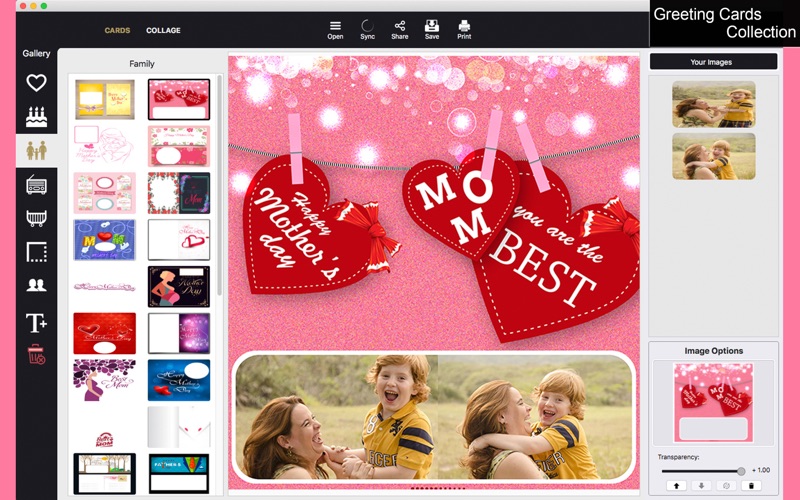
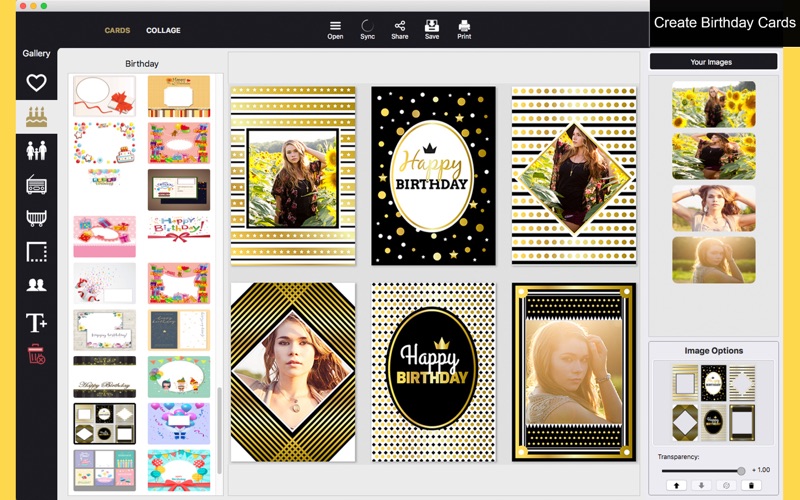
You do not need any skills in coding or design to create beautiful cards or collages. Pic Collage Creator - Cards you a collection of 420 pre-made celebration cards, distributed among seven categories: Love, Birthday, Family, Vintage, Baby, Borders, and Friends. It's up to you to add more elements like images and/or text.
Beyond that, in case you're and admirer of the collage technique, Pic Collage Creator allows you to add images to a collage and organize them as you wish, applying a background color with the Color tool and create a harmonic result between the background and the most recurring colors on the collage itself.
••••••••••••••••••••••••••••••••••••••••••••••••••
Enjoy our amazing features ••••••••••••••••••••••••••••••••••••••••••••••••••
• Card Templates: We have 420 card templates separated in 7 categories: Love, Birthday, Family, Vintage, Baby, Borders, and Friends
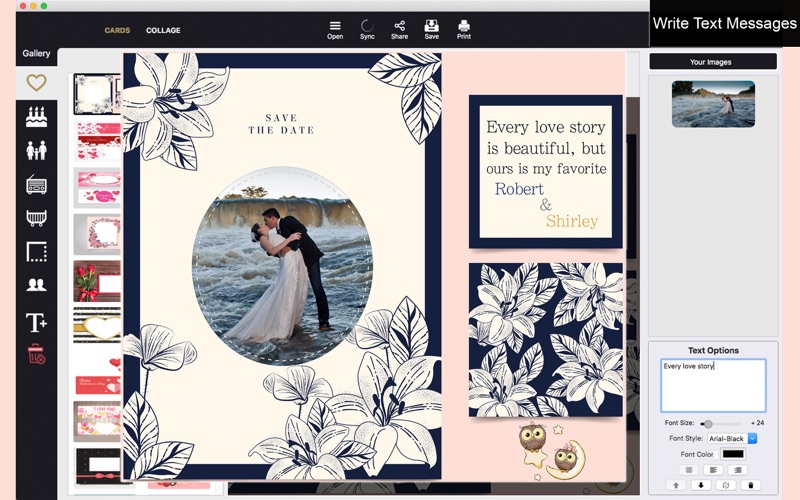
• Add text to pictures, setting font style, font color(solid or textured) and font size
• Collage Maker:Select the amout of margin you want between the photos
• Choose color to fill the margins • Delete the last image clicking on [-]
• Resizable/Rotatable Filters/Stickers/Letters with transparency control
• Functions (Undo and Redo)
• Full saving feature with resizing, rescaling, compressing and various encoding formats(PNG, JPG, JPG2000, BMP and TIFF)
• Sharing on social media
• Printing
•••••••••••••••••••••••••••••••••••••••••••••••••
How to Use
•••••••••••••••••••••••••••••••••••••••••••••••••
• By default, the app starts on Cards mode. If you want to switch, select the mode you want to work with on the top left hand corner: Cards or Collage.
• Cards Mode:
• Select a category on the category menu buttons in the left hand side.
• Select the card template you want to use.
• If you want to add text, click the big 'T' button above the trash can.
• Click the trash can button to delete a frame, you can also deselect the frame with command + click to delete it.
• Add your images by dragging and dropping them into the canvas. Additionally, you can click "Your Images" or "Open" to add them.
• Click "Sync" to remove all images from the canvas except the card itself.
• Collage Mode:
• Add your images using the four '+' buttons.
• Use the image enhancing tool to tweak your result. You can set a different value for the image's saturation, brightness, contrast, exposure, gamma, hue, and vibrance. Additionally, you can toggle the auto-enhance filter, and the black and white filter.
• Set your desired collage spacing using the spacing slider.
• Set the collage background color using the color picker.
• To redraw your collage, click the Sync button.
• Global Mode:
• Click share to share on social media
• Click save to save your result
• Click print to print your result.