Barner - Bulk Barcode Scanner
macOS / Utilitaires
Scan Multiple Barcode Images.
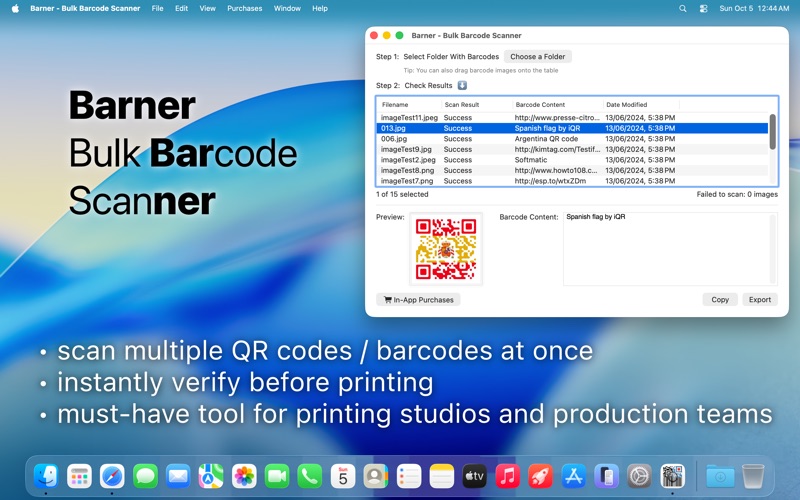
The perfect tool for professionals who need to scan or verify dozens or hundreds of QR codes with logos, before printing.
Features:
- scan multiple barcodes at once*
- decode the message in each barcode
- detect barcodes that failed to scan
- sort results by creation date/filename/scan result/decoded message
- export results into a file
- works with PDF image files (limit to one barcode per file).
- quick image preview using double-click or the space bar
- drag&drop support
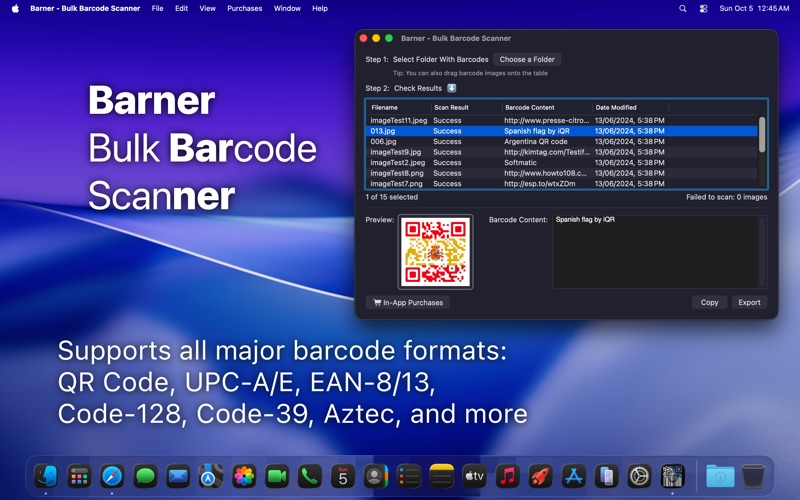
- dark mode support
*scanning more than 3 files requires an in-app purchase
Supported barcode formats:
- QR
- UPC-A
- UPC-E
- EAN-8
- Code 128
- Code 39
...
Questions? Comments? Requests?
Looking forward to hearing from you.
Quoi de neuf dans la dernière version ?
NEW:
- multiple barcodes in single image are now merged into one result using a pipe symbol ("|")
- detecting QR codes with binary data (e.g. Pushmo QR code; binary data is Base64-encoded and uses DATA prefix)
- support for AVIF, WEBP, JPEG-XL, SVG when drag & drop onto the app icon
- Quick Look preview for barcodes in table view using spacebar
- Quick Look button for barcode image preview
- ability to copy & paste multiline barcodes (e.g. to Numbers or Google Sheets)
- automatically fixing garbled text in Russian GOST payment codes (Sberbank; can be disabled in settings)
- app is translated into Spanish
IMPROVED:
- CSV export now includes a header row
- copying a barcode from the table now copies only the barcode result text (use export to copy all columns)
FIXED:
- application crash related to upcoming macOS version
REMOVED:
- ability to select string encodings during export