Photo Cube - Animated Art
iOS Universel / Photo et vidéo
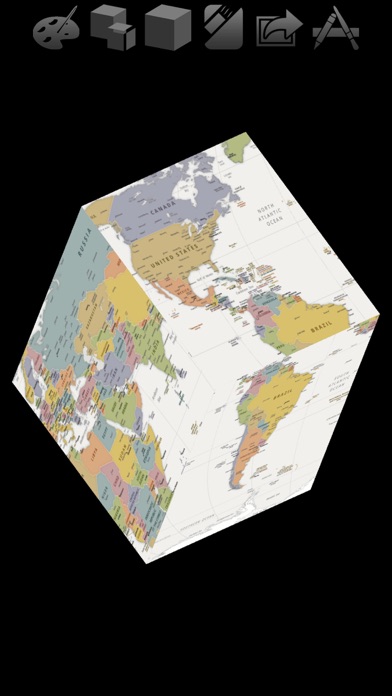
Put your photos and videos on a spinning cube and other shapes.
Tumble and spin the shapes. Listen to your music as it precesses in space.
Record the graphics to video accompanied with your own music. Its a great way to share your favorite photos.
If you record enough frames and your audio duration is short enough you can create cool slow motion videos because arbitrarily fast frame rates are supported.
You can now use any of your own photo albums or videos for such animation. This enables you to create video animations of photos or video frames that for artwork, specific events, topics, people etc.
Edit photos: Add MEME, Crop, Adjust, Filter and more.
Tap the shape faces to set their photo.
Or use the 'Faces Video…' Options menu item to set all faces of the 3D shape to a video. Optionally set the audio to the video audio.
Generating Videos
Generate videos that include audio from your music library. Access this new feature from the options menu:
1) Choose 'Start Recording' to record frames of the graphic. During the recording manually adjust the graphic or turn on animation.
2) Record as many frames as you want - up to the maximum determined by space available on your device. The record view shows the duration* of the frames recorded, as well as a countdown to maximum allowed.
*Assuming you do not generate a video with audio. In that case the duration will match the audio.
Preferably record enough frames to match the duration of the audio you select in the next step. That ensures the playback is smooth at common frame rates.
You can access the folder of recorded frames using iTunes File Sharing. See more about this below.
3) When recording is done choose 'Generate Video' to create the video from the recorded frames.
You will be presented with an option to select audio from your music library.
You can choose a different audio file each time you generate a video with the current collection of recorded frames.
You can save the video to your Photos library when it is complete, or at a later time using the 'Save Video' Options menu item.
You can also access the generated video using iTunes File Sharing. See more about this below.
4) Generate video again! You can reuse the recorded frames as many times as you like with different audio files.
5) File Sharing: You can access the recorded frames, generated video, as well as the audio recording, using iTunes File Sharing.
Note that this has a consequence for 'advanced users': You can store the recorded files on your computer and then restore them at a later time.
Simply drag and drop folders to and from the file sharing pane of Photo Cube in iTunes.
Note: the folder of recorded frames must be called 'Photo Directory'.
Slow Motion Animation
Since arbitrarily fast frame rates are supported you can make slow motion videos simply by recording enough frames for the given audio duration.
For example, if you record 875 frames and use an audio with duration of 7 seconds the frame rate will be 125 fps (125 x 7 = 875). This frame rate will likely be interpreted as a slow motion video.
However, when this situation arises you are presented with an alert that provides the option to truncate the number of frames to a value that creates a standard frame rate for the audio chosen.
Enjoy.
Quoi de neuf dans la dernière version ?
The smoothness of certain videos playing on the shape faces has been improved by increasing the accuracy of the extracted frame times. (The previous less accurate setting is still available using the new 'Turn On/Off High Accuracy Frame Time' in the 'Faces Video' menu available in the Option menu of the main menu bar.) Also the 'Throttle' option for alternate animation timing for smoothing is now ON by default.