• KultureGeek
  • Comparateur de prix
       
iPhoneAddict
 iAddictv5Notre Application iPhone/iPad
  • Accueil Apps
  • Actualité Apple
  • Keynote Apple
  • Firmwares & iTunes
  • Contactez-nous
Accueil » Liste des Apps » Apps Universelles » Productivité » Obsidian - Connected Notes
1.11.7 iOS €Gratuit Dynalist Inc. 4.4 250 Obsidian is a powerful knowledge base that works on top of a local folder of plain text Markdown files. It is a second brain, for you, forever. Now available on the go for iOS! Features include: - Customizable toolbar - Pull down quick actions -...
Obsidian - Connected Notes

Obsidian - Connected Notes

iOS Universel / Productivité

Gratuit
Obtenir sur l'App Store

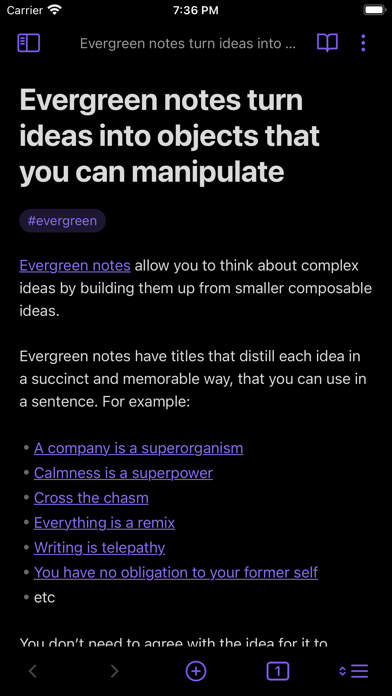
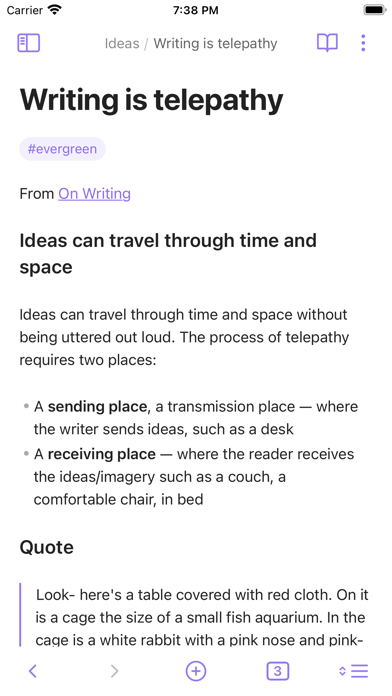
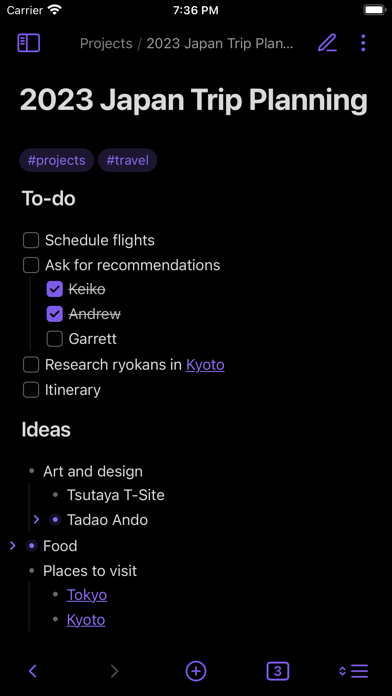
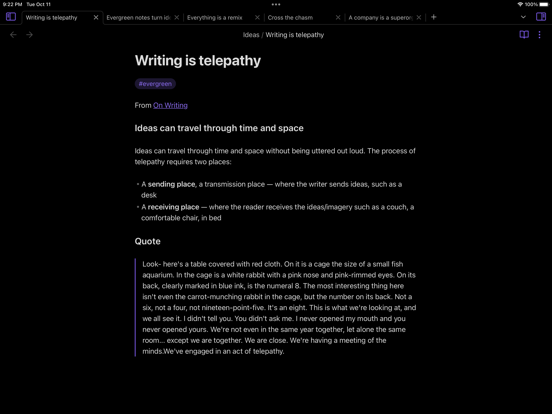
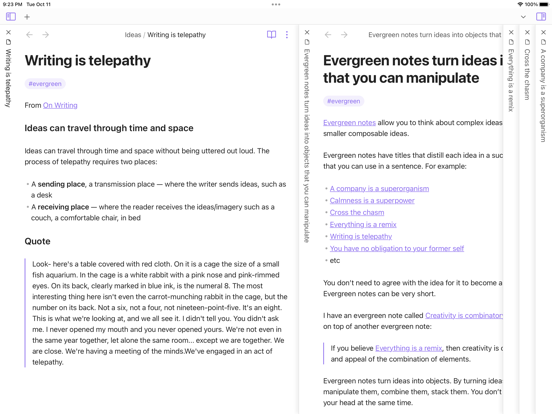
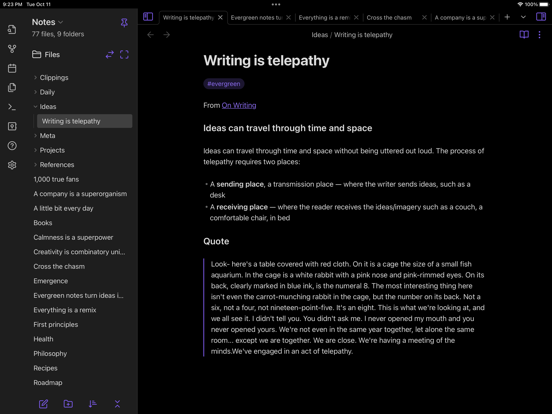
Obsidian is a powerful knowledge base that works on top of a local folder of plain text Markdown files.

It is a second brain, for you, forever. Now available on the go for iOS!

Features include:
- Customizable toolbar
- Pull down quick actions
- Graph view
- Community plugins
- Themes
- Sidebar pinning for tablet
- iCloud vaults

En voir plus...

Quoi de neuf dans la dernière version ?

- New Appearance settings
- Full screen: Toggle to automatically hide interface elements when you scroll.
- Floating navigation: Option to disable the new floating buttons in the interface in favor of the "anchored" style of v1.10.
- Sliding sidebars: Option to disable the new sidebar animation in favor of the old slide-over drawer style.
- When full screen mode is enabled, the phone's status bar is now hidden when you scroll in a note.
- New App actions (the menu when you press and hold on the app icon):
- "Manage vaults..." Closes the current vault and takes you to the vault selection screen.
- "Today" — Opens today's daily note. Only available when the daily notes plugin is enabled.
- "New Note" — Creates a new note in the active vault.
- Vault switcher has a new option to "Open Vault in Restricted Mode." This option opens the vault without activating any plugins. If your vault is failing to open due to a plugin issue, use this option to debug.
- Fixed bug where first tap or long-press in the File Explorer did not work.
- Fixed scroll getting interrupted if touch overlaps with a link.
- Fixed text on Debug screen ("Show debug info") appearing very faint.
- Fixed bug where the right-most navigation bar icon flashed briefly when the app was first loading.
- iPad: Fixed Command + , not opening in-app settings.
- iPad: Fixed mobile toolbar not appearing when using "Floating keyboard" option.
- iPad: Fixed File Explorer context menu appearing too high and overlapping with the status bar.

  • Screenshot #1 pour Obsidian - Connected Notes
  • Screenshot #2 pour Obsidian - Connected Notes
  • Screenshot #3 pour Obsidian - Connected Notes
  • Screenshot #4 pour Obsidian - Connected Notes
  • Screenshot #5 pour Obsidian - Connected Notes
  • Screenshot #6 pour Obsidian - Connected Notes

D'autres applications du développeur

Dynalist
Dynalist
/ iOS Universel
Dynalist Companion Clipper
/ macOS
Obsidian Web Clipper
/ iOS Universel

Note

(250 notes)

Détails sur l'application

Version
1.11.7
Taille
34.2 Mo
Version minimum d'iOS
14.5
Dernière mise à jour
05/02/2026
Publié par
Dynalist Inc.

Newsletter App Store

Recevez chaque jour les meilleures promos

Actualité Apple

Image iOS 26.4 bêta 2 : la liste des nouveautés
iOS 26.4 bêta 2 : la liste des nouveautés
Image RCS : Apple teste le chiffrement entre iPhone et Android avec iOS 26.4 bêta 2
RCS : Apple teste le chiffrement entre iPhone et Android avec iOS 26.4 bêta 2
Image Bêta 2 pour iOS 26.4, macOS 26.4, watchOS 26.4, tvOS 26.4 et visionOS 26.4
Bêta 2 pour iOS 26.4, macOS 26.4, watchOS 26.4, tvOS 26.4 et visionOS 26.4
Image Apple Music : Playlist Playground ne s’appuie pas sur Apple Intelligence et fonctionne sur Android
Apple Music : Playlist Playground ne s’appuie pas sur Apple Intelligence et fonctionne sur Android
Partenaires : Actualité iPhone - Culture Geek
©2009-2026 i2CMedia | A propos |