XML Edita
macOS / developpeurs
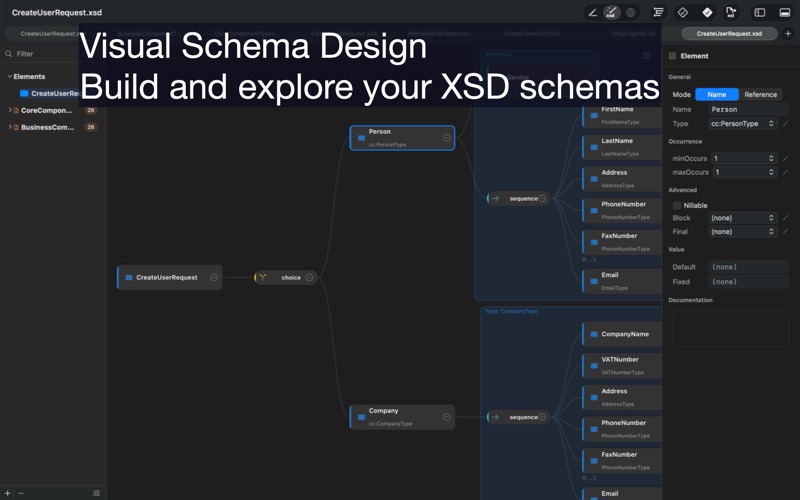
XML Edita 2 is a native macOS XML editor built around a powerful visual XSD schema editor. With XSD Composer, you can explore, design, and edit XML Schema structures visually while staying fully synchronized with the source code.
Create and modify schemas in an interactive diagram view with zoom, pan, minimap, inline editing, drag-and-drop reordering, properties inspection, facets editing, per-node documentation, and live source synchronization. XML Edita 2 makes complex XSD structures easier to understand, navigate, and maintain.
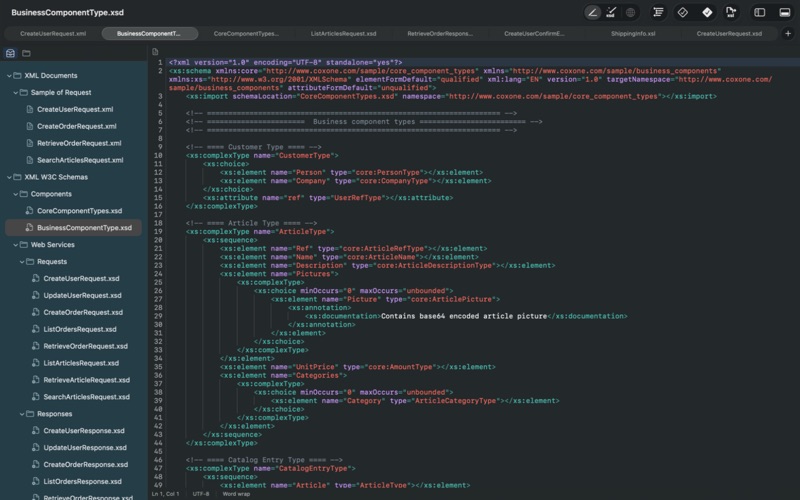
Beyond visual schema editing, XML Edita 2 includes a fast professional XML editor with real-time syntax highlighting, line numbers, indentation guides, automatic tag closing, quote insertion, synchronized tag renaming, formatting, and advanced find and replace.
Validate XML documents instantly for well-formedness and against one or more XSD schemas. The app supports transitive imports and includes, multiple schemas and namespaces, and detailed diagnostics with direct navigation to the relevant source line.
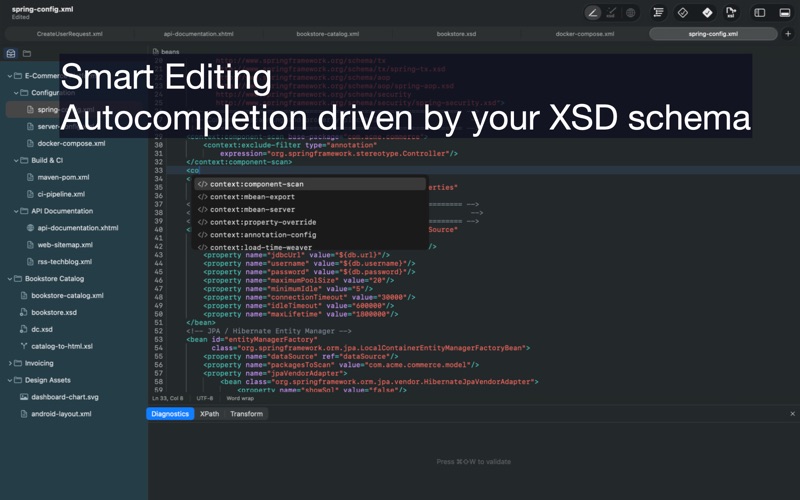
Use schema-driven completion for elements, attributes, values, and namespaces. Completion is powered by your XSD model and helps you write valid XML faster with contextual suggestions and inline documentation.
XML Edita 2 also includes built-in XPath 1.0 evaluation, XSLT 1.0 transformations, and live preview for HTML, XHTML, SVG, and transformation results using native WebKit rendering.
Whether you are editing XML documents or designing complex schema models, XML Edita 2 gives you both a professional code editor and a visual XSD workspace in one native macOS app.
Features
•Visual XSD schema editor
•Interactive XSD diagram navigation
•Inline schema editing and drag-and-drop reordering
•Facets, properties, and node documentation editing
•Live sync between visual schema view and source code
•XML well-formedness and XSD validation
•Schema-driven XML autocompletion
•Built-in XPath 1.0 evaluation
•Built-in XSLT 1.0 transformations
•Real-time HTML, XHTML, and SVG preview
Quoi de neuf dans la dernière version ?
NEW – Custom File Extensions
Open any XML-based file, even with an unfamiliar extension. The first time you do, XMLEdita asks if you'd like to recognize it from now
on. Manage your list anytime in Settings > Advanced. You can also drag files from Finder directly onto an XMLEdita window to open
them.
NEW – Add Folders to Projects
Right-click in the project sidebar and choose "Add Folder…" to recursively import an entire folder structure. XMLEdita preserves the
hierarchy, filters out non-XML files, and skips empty subfolders. Custom templates now auto-register their extensions across the app.
EXPANDED – 95 XML Formats Recognized
XMLEdita now appears in Finder's "Open With…" menu for many more XML-based formats: BPMN, DocBook, DITA, GraphML, MusicXML, RDF, OFX,
SAML, XLIFF, and others. Non-XML formats like JSON and YAML are intentionally excluded.
IMPROVEMENTS
• Cmd+Q now prompts to save unsaved project changes
• Recent Projects on the Welcome screen reflects newly-opened projects correctly
• Adding files to a project now requires them to live inside the project folder, fixing an issue where external files could become
unreachable