iQPresenter
macOS / Photo et vidéo
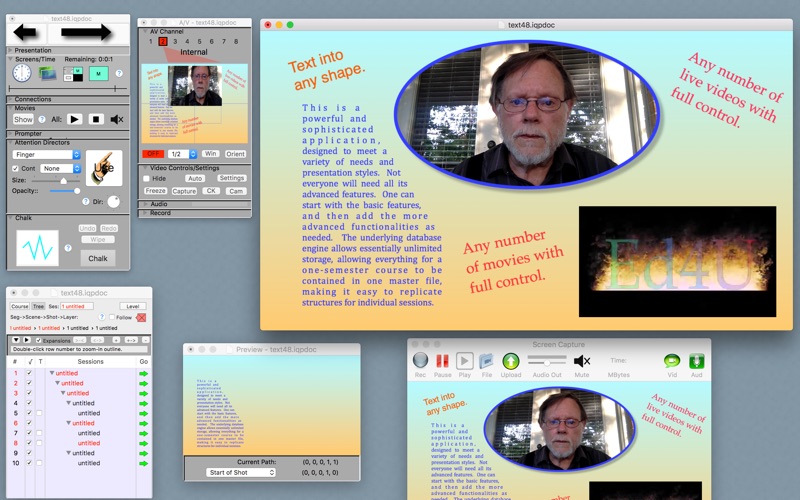
iQPresenter is an educator’s dream tool for creating videos. It is a unique, full-featured solution for planning, producing, and capturing courses. From simple chalk talks to sophisticated professional productions, it provides immense capabilities and flexibilities unavailable elsewhere. It eliminates the need for marking boards and expensive smart boards, media switchers, and camera operators.
Courses can be captured and uploaded for viewing on the web and/or AppleTV, whether presented in the classroom or off-line. Subtopic outlines, linked to specific video segments, can also be uploaded. Best of all, with multi-screens features, Instructors can face the audience to observe and interact.
BASIC FEATURES:
Purpose
▪Organize presentation and materials
▪Present on monitors w capture
▪Or produce offline w capture
▪Upload to server
Preparation
▪Course outline
▪Session outlines
▪Transitions
▪Identify live videos
▪Live video automation
▪Logos
Time Management
▪Assign/adjust time of components
▪Manage total time
▪Progress indicator
▪Progressive panic alarms
Drawing and Media
▪Standard draw tools
▪Extensive shape list
▪Library
▪Import from OmniGraffle and Easy Draw.
▪Import images, movies, compositions.
▪Shaders, shadows
▪Alignment/Distribution
▪Focus filters.
▪Zoomable rulered window
Text
▪Full formatting
▪Odd shapes, even with holes.
▪Live highlighting
▪Create draw shapes from text
Live Videos
▪Identify
▪Position, size, opacity
▪Clipping, orientation, perspective, filters
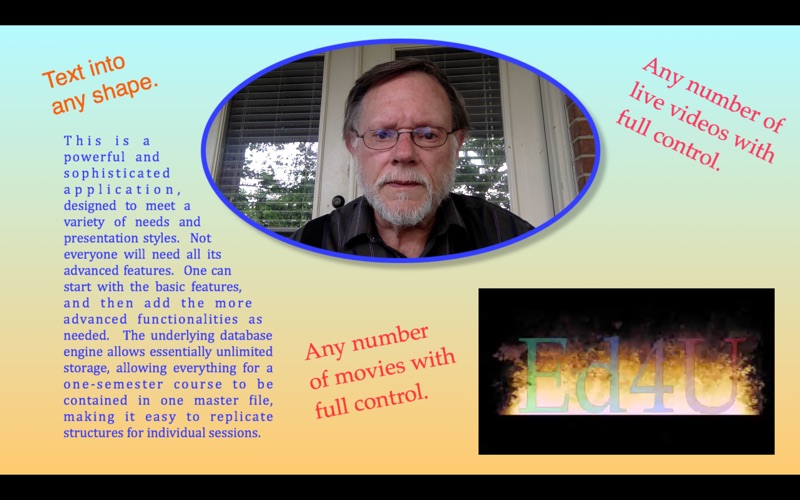
▪Green Screen, image/movie backgrounds
▪Animation of all parameters
Library
▪Templates for all heirarchy levels
▪Shapes, images, movies, compositions
▪text, sounds, pdfs
▪Separate database can be shared and reused
Chalkboard Window and Annotation
▪Large scrollable chalkboard.
▪Annotation tools for any screen.
Preview Windows
▪Any number
▪Set tracking criterion for look ahead
Speaker Notes Window
▪Drawing layer
▪Annotation
▪Time status
Teleprompter
▪Optional Separate Monitor
▪Full controls, line focus, font size, speed
▪Time status tools
▪Separate script creation window.
▪Timing linked to Closed Caption generation
Closed Captioning
▪Automatic with scripted presentations
▪Choice of caption file format
Movies and Sound Recordings
▪Independent controls for each shown movie
▪Control of all parameters
▪Subrange selection
▪Autostart on/off
▪Separate Player/Editor
Presentation Screens
▪External to monitor, AirPlay, etc.
▪Optional fully active main-screen window.
▪Combinations: charts, chalkboard, impromptu movies
▪Movies and charts zoomable to selected corners
▪Separate controls for impromptu movies
Optional Outputs
▪Separate chalkboard screen
▪Separate teleprompter screen
Attention Directors
▪Many animated pointers provided
▪Tools for users to create their own
Video Capture
▪Select screen, window, or area to be captured
▪Encoding parameters settable.
▪AutoStart and auto file-name incrementing
▪An MOV to MPEG4 converter is included
Linked Subtopic Outlines
▪Automatically generated with precise time markers
▪JSON file uploadable to server
▪Allows accurate access to subtopics
Upload to Servers
▪Full SFTP client included
▪Multiple servers can be configured
▪Full editing of server content
Help Book
▪Extensive descriptions of features and use
▪Links from each window to specific related help
Training
▪An extensive set of training videos
▪Available directly from program
▪Also on the web and the Ed4U app on Apple TV
Remote Control
▪An iOS app is available for progress control
We think you will agree that iQPresenter’s feature set is unsurpassed by anything else on the market. Please file reports for any discovered anomalies or for desired features and enhancements. We highly value feedback from our customers.
Quoi de neuf dans la dernière version ?
* Updated for 64-bit compatibility.
* Includes hundreds of internal updates to replace deprecated routines.
* Temporarily removed YouTube uploads due to Google not providing 64-bit library update.
* Removed Social Media uploads due to Apple, Inc. removal of previously supported capabilities.
* Removed QuickTime Movie Modernization due to Apple, Inc. no longer supporting this capability.