Fast Video Browser
macOS / Utilitaires
An easy and handy video browser and manager.
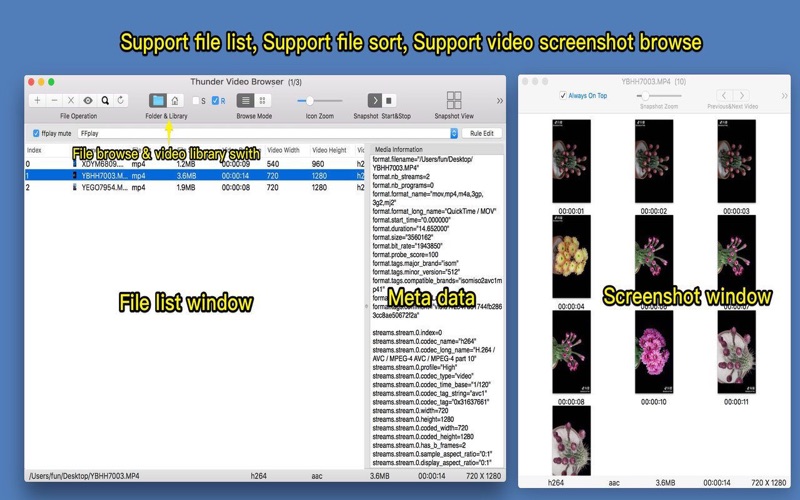
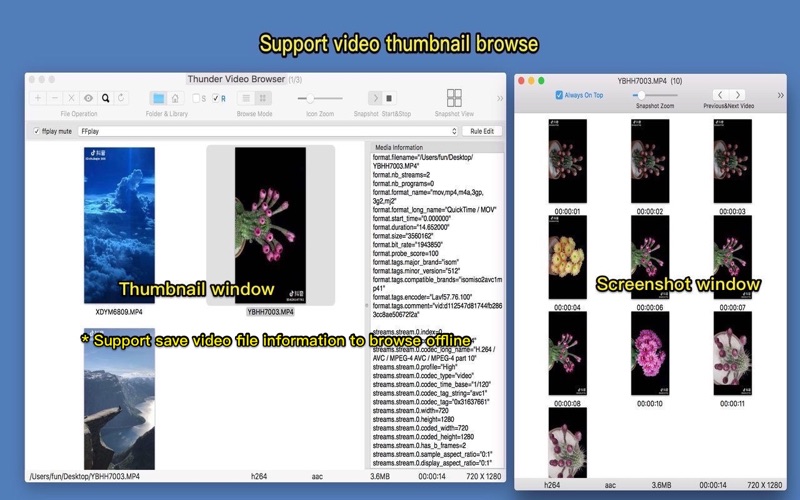
* Browse videos by file list and thumbnail(snapshots), snapshot videos extremely fast
* Support batch create collages from video
* Save videos snapshot and metadata in local video library for browsing offline
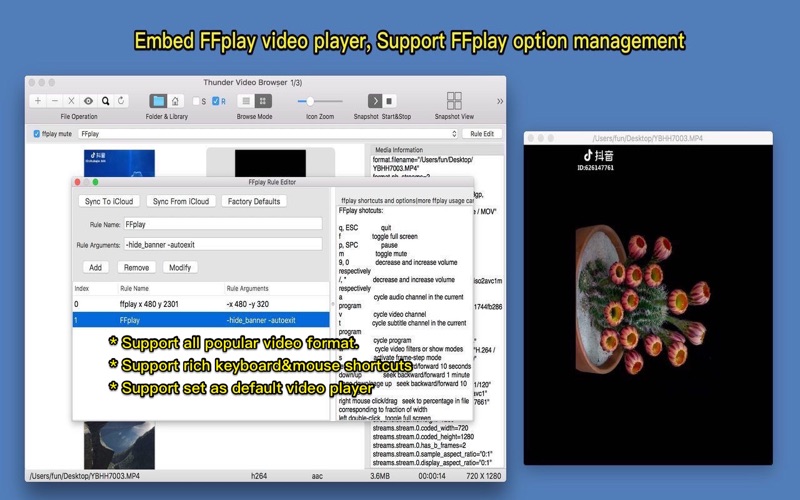
* Embedded powerful ffplay, play all popular video format smoothly, support ffplay option management
* Support rate video and count video play times.
【 How to use it】
step 1. Drag/add video files or folders contain video files to app
step 2. This app will snapshot all video files automatically, and list them by thumbnail, press option(alt)+t key to show the thumbnail window
step 3. Double click file or thumbnail or screenshot to play video, Command+S to save video snapshot and metadata to local database for browse offline. app will save the play count and rate of each video to database automatically.
【 Key Features: 】
1. Embed ffplay, support play all popular video format. support ffplay options management, very handy and powerful.
2. Capture video screenshot super fast. Support all popular video formats, including avi, mp4, mpg, flv, mov, wmf, rmvb and much more.
3. Support to read video meta data, support to save video meta data in local library for browsing offline, support to rate video.
4. Rich video screenshot options. you can capture screenshot from videos freely.
5. Support video file sort and play. Rich keyboard shortcuts. videos can be sort by file size, duration, file name, create date and etc.
6. Support video files drag&drop. Read videos from folders and its sub-folders automatically
7. Support video play count, it is easy to know which videos you view often and which videos are never played.
8. Support video icon&thumbnail zoom in&out (support pinch gesture and Alt/Option/Command + mouse scroll wheel)
9. support video search
10. support export collages from videos
【 Contact :】
Email : dummyapps@163.com
【 Users FAQs 】
1. How to save videos to local library?
A:
1) Select the videos you want to save in the video list.
2) Choose "Save to video library" from "File" menu, and wait ti saving process to finish.
3) click the home icon of "File browse&library" on the toolbar, the app will switch to the video library, your can browse your saved video in the library
2. How can I choose my own path to save video library?
A:
1). Switch to video library mode (click the home icon of the "File browse&library" icon)
2) Click "+" button to choose a folder (or drag a folder to list view)
3) The chosen folder will be your video library folder, and you can switch to default video library folder from menu.
3. How to use embed ffplay?
A:
1) Add your own ffplay option rule from the "rule edit" window in the main window, or you can just use the default rule.
2) please choose a ffplay rule from the rule list in the main window
3) double click the video , the video will play by ffplay with your chosen options
5. FFplay skills
A:
1) Please refer to FAQ 3 to play videos by embedded ffplay
2) In preference, select "FFplay play option"
3) select "play one video at a time", when open new video, old video will be closed
4) select "play video one by one", play selected videos one by one
5) select "play video concurrently", play selected videos concurrently
6) click "close all ffplay" can close all video play, including videos in queue
6. How video screenshot image view support mouse?
A:
1) click left part switch to previous video file, click right part switch to next video file
2) mouse scroll on screenshot image view can switch forward/backward video file
3) right mouse click can play the video file
7. How to export collages from videos?
A:
1) Select video you want to create collages
2) Click "Export Collage" from menu
3) Click "Open video library from Finder" menu item, all collages are in "ScreenshotCollage" folder
Quoi de neuf dans la dernière version ?
* click "open with ..." context menu item can open multiple files