Video2Text OCR+
iOS Universel / Productivité
Snapshot images containing visual text, formatted PDF text, and plain text can be derived from a video. By utilizing multi-core CPU and GPU of modern hardwares, and intelligent algorithms to reduce redundant calculations across frames, the process can complete in a fraction of actual video play time. On-device text recognition protects your privacy and operates without internet connection.
Three output formats are generated.
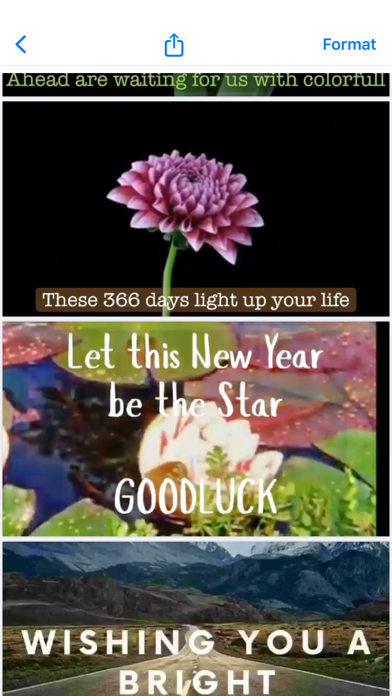
1. Multi-page PDF where each page is a snapshot image of a video frame with recognized text. When similar text appear across several frames for a period of time, only one snapshot with clearest text display is chosen. If the input is a presentation video, virtually a set of PDF presentation slides is produced. The original video frame time can be optionally annotated at bottom right corner of each snapshot, for fast forward video to play a clip around a snapshot.
2. Text-only PDF where each page is corresponding to a snapshot image. The text is formatted to approximate the positions and font sizes in the original layout. The color is either black text on white, or white text on black if dark mode option is selected. Frame time may be annotated. This PDF format is much smaller in file size than snapshot images. The PDF text can be copy-pasted and searched.
3. Plain text concatenating all pages. Formatting options include indentation preservation and soft wraps removal. An embedded text editor allows correction of recognized text before exporting it. The file size is even smaller than text-only PDF.
For both text-only PDF and plain text, automatic detection of emails, phone numbers, web links and street addresses opens another relevant app with one click. The text can also be spoken if enabled in Accessibility Settings.
To use the app,
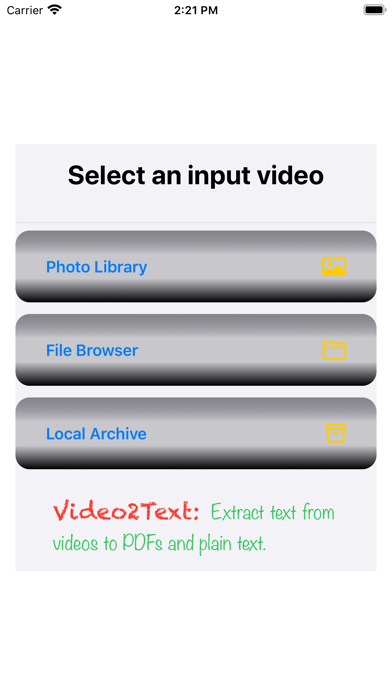
Step 1: Several input methods are provided.
• Selects a video from Photos app.
• Selects a video file through Files app.
• On iPadOS, drag and drop from other apps.
• Select this app when opening a mail attachment, or sharing files from other apps.
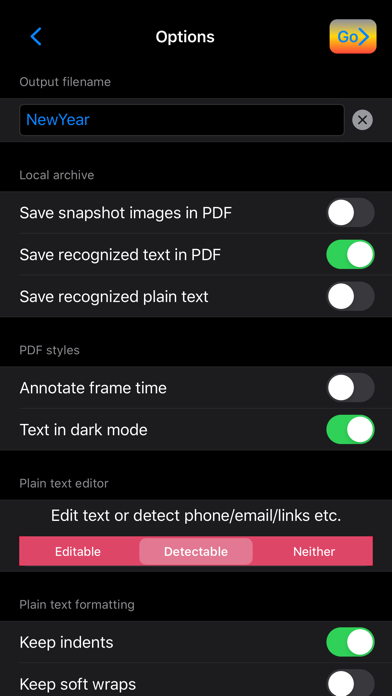
Step 2: Simply use the defaults and tap go, or configure a few options.
• Save any of the 3 output formats locally in the app.
• A filename for saving or exporting outputs.
• Whether to annotate frame time in PDF, and whether to use dark mode in PDF text.
• Plain text formatting options on indentation, soft wraps (artificial line breaks inserted by tools to fit width), maximum blank lines, maximum blank columns, page break lines, multi-page header/footer removal.
Step 3: Review the 3 output formats
Preview an early version of snapshot images while waiting for the final processing of the recognized text. When all ready, select any of the 3 output formats to view.
Two-finger pinches zoom the PDF or text bigger or smaller. On iPhones, portrait mode shows smaller fonts than landscape mode.
Step 4: Distribution of the recognized text.
• For a format currently chosen to view, tap the standard share button to air drop, message, mail, save on cloud storage, post on social media, print, or copy to any other apps supporting PDF or plain text.
• For PDF and plain text, tapping an address, link or number to open another app. Speak the text if enabled.
• Edit plain text if necessary.
The current version of the app recognizes primarily printed English text in upright positions. To filter out undesired text during clip transitions or on the background, the app focuses on text staying at a place for at least a second. Flashing, scrolling or fast-moving text may be intentionally dropped.
The app offers auto-renewable subscriptions for full access of all app features. An Introductory free trial period is available. Please see the terms of use at https://thingkingland.app/legal/termsOfUse.html .
Quoi de neuf dans la dernière version ?
• Improves accuracy of capturing key video frames.
• Polishes accuracy of text results.