
FilesAnywhere
iOS Universel / Utilitaires
Your data, at your fingertips, wherever you are.
FilesAnywhere is the original cloud storage pioneer.
Serving business teams and professionals since 1999, FilesAnywhere is the perfect service for Enterprise and Business users to transport, backup, share, edit, and access your files, anywhere at all. How many cloud providers can say they have operated at 99.9% uptime for over 15 years? Try the FilesAnywhere iPhone and web interfaces, and you will see why customers stay with us longer than any other cloud storage service on the planet. Fortune 500 enterprise divisions, entire companies, remote startups, and now YOU!
15+ years of continuous improvements and hardened performance make FilesAnywhere a dependable choice for your business file sharing and team project needs. FilesAnywhere gives you the ability to View, Search, Share, Comment, Upload, Download, Stream Video and Audio, and Manage an unlimited number of remote files directly from your iPhone. Share entire folders, upload from your camera, and collaborate with anyone, anywhere, any time.
This app is free. Use the optional desktop client app to sync your files to the cloud, or simply login using any browser from any device to access your files using our full-featured web app.
Mobile App Features:
• Secure Cloud File Storage
• Automatic Login
• Upload files from your iPhone or iPad
• Simple, Fast file sharing
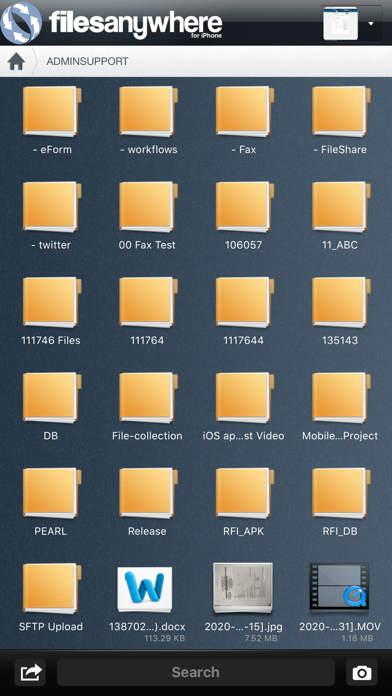
• View Folders and Files directly on your iPhone or iPad
• No Downloads Required - Work Directly from the Cloud
• Works with any connection speed: 2G, 3G, LTE or WiFi
• Zoom-In / Zoom-Out of Photos
• Built-in Graphics / Photo / Document Viewer
• Scroll and Pan Documents
• Add Comments to Any File
• Share any folder to a Group of Users
• Instantly access your folders + shared folders from other users
• Collaborate by sharing files or folders to any email address or contact
• Access photos, videos, music, documents, spreadsheets, and more
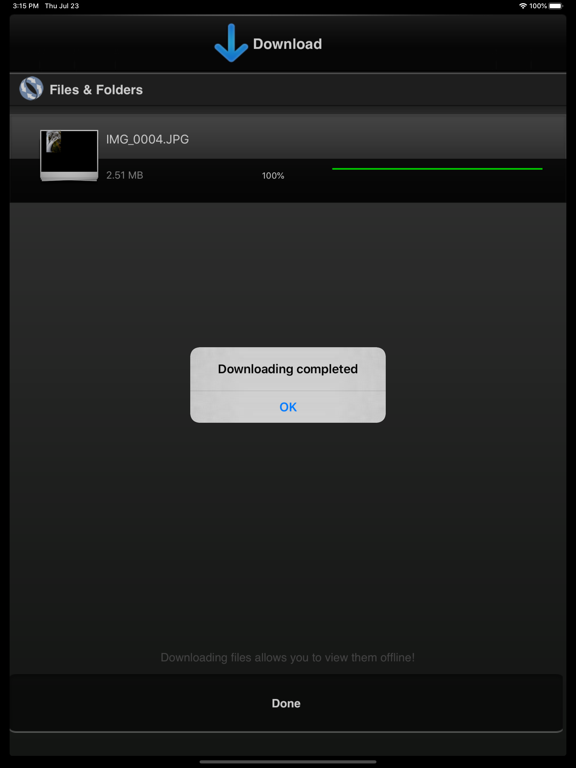
• Download files from your FilesAnywhere account directly to your iPhone storage
• Manage your FilesAnywhere account folders and file structure from your iPhone/iPad
• Drag-and-drop ease
• Customizable File Share / File Receive Links (create inbound or outbound guest file sharing links)
• Disable local caching
• Enable app notifications for cloud change events, including group folder changes
• Open-In: save files directly to your FilesAnywhere account
• Contact our friendly support team for more info!
Quoi de neuf dans la dernière version ?
* Improved performance and faster file syncing
* Enhanced security features for safe file access
* Refined user interface for a smoother experience
Update now for a better mobile file management experience