Automate Team
iOS Universel / Economie et entreprise
Automate Team: Effortless Task Management for High-Performing Teams
Tired of missed deadlines, unclear priorities, and scattered communication? Automate Team by Automate Business is your solution for seamless team collaboration and effective task management. Our intuitive app simplifies task assignments, progress tracking, and team coordination, empowering your team to achieve more.
Key Features:
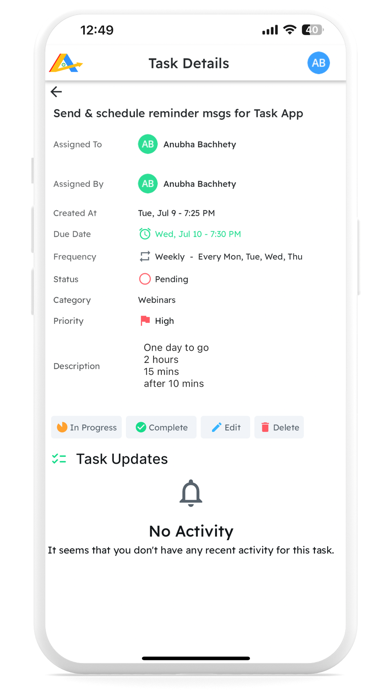
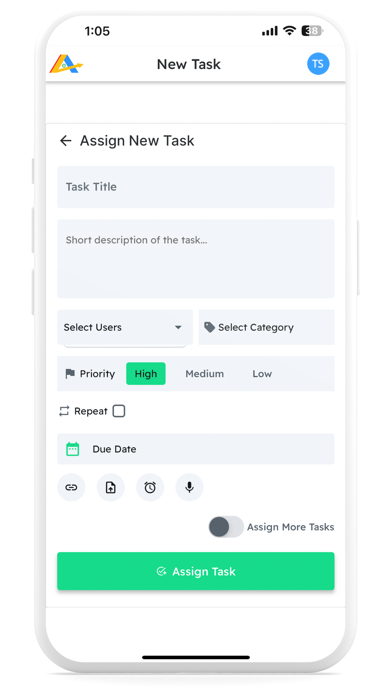
Effortless Task Management: Create, assign, and track tasks with ease, setting deadlines and priorities to keep everyone aligned.
Intelligent Notifications: Stay ahead with automated reminders for deadlines, new assignments, and task updates.
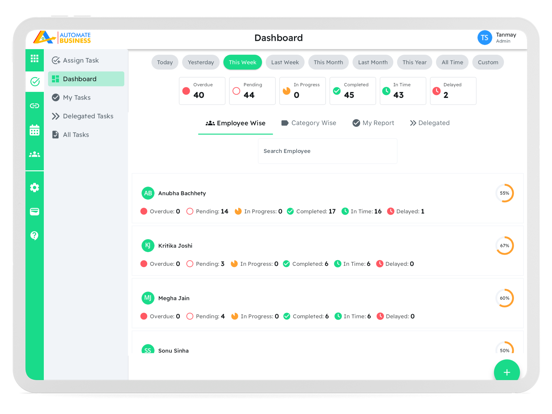
Comprehensive Dashboard: Admins gain full visibility of team activities and progress at a glance.
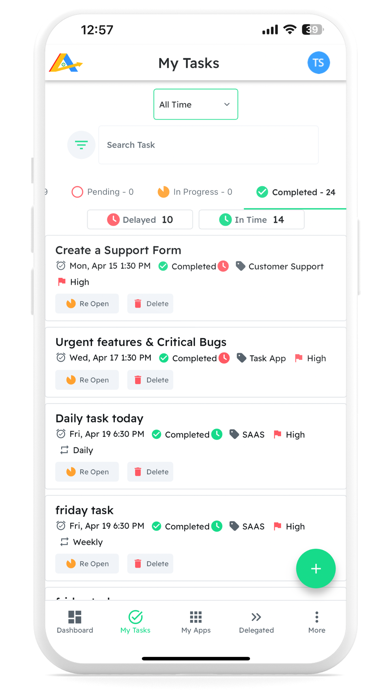
Flexible Task Organization: Categorize, sort, and filter tasks to manage workloads efficiently.
Time-Saving Automation: Set up recurring tasks and reopen incomplete ones automatically.
Smart User Roles: Customize access with admin, manager, and team member roles for enhanced security and workflow.
Performance Insights: Track on-time vs. delayed task completion to optimize team efficiency.
Crystal-Clear Communication: Record voice notes for task assignments and upload images for task completion, ensuring everyone's on the same page.
Why Automate Team Stands Out:
Unique voice note feature for clear task instructions
Setup task wise multiple automated reminders/followups for important tasks
User-friendly interface designed for teams of all sizes
Whether you're handling daily operations or complex projects, Automate Team keeps your team productive, organized, and in sync. Say goodbye to productivity roadblocks and hello to streamlined success!
Ready to transform your team's efficiency?
Download Automate Team now and experience the power of automated task management!
Quoi de neuf dans la dernière version ?
Achiever Club - Watch & learn how business owners are automating their businesses
KAM Details - Easily find your Key Account Manager Details for quick Help & Support
Bug Fixes