Clarity by Broadcom
iOS Universel / Economie et entreprise
In today's to-go economy team members are always looking for more convenient ways to access their application from anywhere. The Clarity mobile app is single sign-on enabled, which means users may log into it by simply reentering the same username and password they use to access other SSO-enabled corporate accounts.
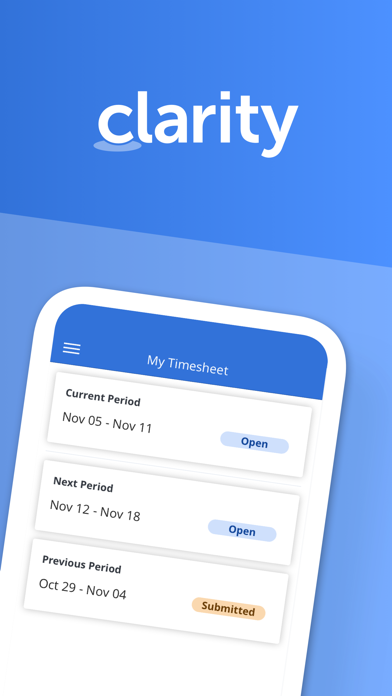
Time management functionality
- View past and future time reporting periods
- Add or remove work from timesheet
- Ability to enter total actuals for entire time period for tasks instead of each day
- Split task within a timesheet for different codes
- Add notes to timesheet as well as timesheet task
- Ability to enter notes date at timesheet and task level within timesheet
- Return own timesheet
- View timesheet rules error within a error panel under “My Timesheet” and “Review and Approve Timesheet”
- Support time entry increments
- Submit timesheet for approval
Time review and approval functionality
- View open, submitted, returned, and approved time for previous, current, and next period.
- Ability to approve or return submitted time.
- View submitted time details
Respond to Action Items
- Action Item dashboard to display action items based on received date and status.
- Quickly access pre-filtered action items.
- Ability to filter for action items based on multiple criteria.
- View action item history and act on actions items as needed.
Manage Checklists
- View all checklists available within My Workspace - To Do
- Create/Edit/Complete/Share/Copy/Delete Checklists
- View and manage sections within Checklist
- Manage To Dos within a Checklist
- Upload attachments within To Dos
- Reorder To Dos and sections
View Smartlists
- View all smartlist available within My Workspace - To Do
- Filter smartlist based on name
- View To Dos within the smartlist and sort them by Date, Name, and Owner
- Manage To Dos within a smartlist
Conversations
- View existing conversations that were started within Clarity
- Respond to existing conversations
- Upload supported documents, images, or camera shots to conversations.
General Setting
- Ability for the user to define their app default landing page.
- Ability to open Clarity app in mobile when clicking on a link
Quoi de neuf dans la dernière version ?
This version has bug fixes with regard to action items.