ValuePRO
iOS Universel / Economie et entreprise
ValuePRO Mobile Edition for iPad lets existing ValuePRO users writes valuation reports from the field.
ValuePRO is used by Property Valuation firms throughout Australia and New Zealand.
Almost one in three property valuations for mortgage purposes in Australia is done on ValuePRO.
Quoi de neuf dans la dernière version ?
NEW
- iOS Widget — Open a job directly from the Home Screen Widget.
- iOS 26 & Liquid Glass — Further layout improvements for iOS 26 and Liquid Glass.
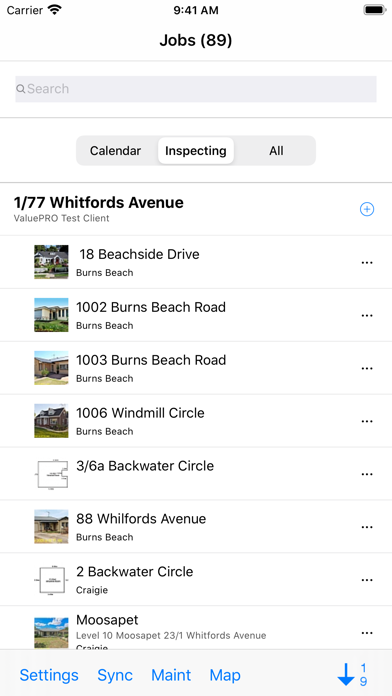
- Sync Status — New button on the Jobs screen shows the last successful sync time.
IMPROVED
- Accessibility — Settings and Bandwidth Settings now support Dynamic Type.
- Occupancy Switching — Smoother transitions; Building tab scrolls to top at the right time during refresh.
- New Occupancy — Prevented accidental taps on list items while a new occupancy is being created.
- Checkbox Fields — Checkbox fields now auto-advance conditionally based on state.
- Sales Photos — Activity indicator shown in "No Photos" view while checking for photos on ValuePro Standard Edition.
- Pin Colours — General improvements to pin colour assignments.
FIXED
- Cloning Occupancies — Photos from the main occupancy now copy correctly when cloning.
- Date Formatting — Dates now store and display consistently, fixing regional format issues.
- Inspection Delayed screen layout issue.
- Job Selection — Background-downloaded jobs now appear correctly after selection.
- Job Switching — Fixed inability to change jobs after the device woke from sleep.
- Sales Pins — Pin colours now create correctly in all cases.
- Journal Database — Improved locking, resolving Continuous Updates errors.
- CU Status Screen — Labels now refresh correctly while records are processing.
- Multi-Select — Clear button now saves values to the database correctly.
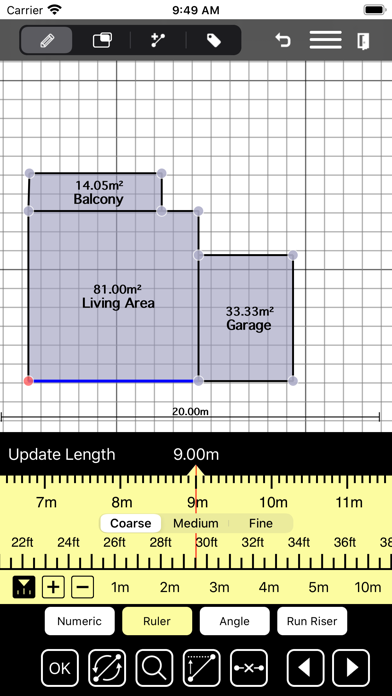
SKETCHING ENHANCEMENTS
- Fixed Photo/Document sketch background selection.
- Fixed room-splitting so the smaller new room gets auto-renamed.
- Fixed a crash caused by the Scale Ruler.
- Fixed inability to reposition line labels on curved lines.
- Snap To Shortcuts — New setting for determining shortcut hit radius.
- Updated Sketching background button images (Apple Maps and Apple Satellite).
- Area Attributes — Room currently being edited is now highlighted.
- Snapping — Add mode now applies the smallest adjustment instead of snapping both axes.
- Undo Stability — Fixed a crash during Undo Eaves creation.
- Room Splitting — Room Attributes screen no longer appears unexpectedly when Auto Room Name is disabled.
- Room names and colours now update correctly after splitting.
- Fixed mismatched colours on Run-Rise Vertical & Horizontal rulers.