Intro Airplane Design
iPad / Education
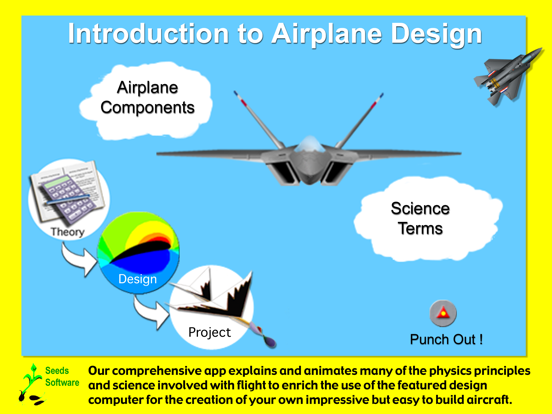
Introduction to Airplane Design makes it easy to engage in authentic science, technology, engineering, mathematics (STEM) by learning the fundamentals of aeronautics. Making use of interactive simulations and powerful design tools you will be pleased how rapidly one can pickup scientific concepts. Best of all, by actively doing the analysis and design of your own performance gliders on the computer, and then by building and flying your designs off-line to assimilate your studies, you will be impressed with how well your designs perform in actual use, while being amply rewarded with a firm grasp on why your airplane flies so well. As your studies progress one can advance to powered flight by including a rubber band or electric motor and propeller in your designs. With this app, one can experience their knowledge taking flight and soaring to great heights while just having fun!
This software app is much more than just game fun though, it can be utilized to teach science with challenge, inquiry, and accountability, yet it is easy to implement and use, and has been well tested in many classroom. The in-depth content of this package can provide 1 to 8 weeks of classroom curriculum that nicely fits learning standards, or which can be used as a comprehensive resource. For grades: 7-12. It is a favorite unit of study at many schools.
The app includes lessons, numerous activities, and plans for off-line labs packaged as embedded PDF’s which can be used in classroom settings to keep students actively involved with the software, give students the opportunity to test aerodynamic principles using a wind tunnel simulation and flying test aircraft, and help them to understand how to design their own aircraft that fly well. These lessons can free up more time for you to teach!
SCIENCE/PHYSICS PRINCIPLES INCLUDE:
* Balance of Forces * Bernoulli’s Principle * Centrifugal Action
* Density * Energy * Fluid * Force * Friction * Geometric Change
* Line of Action * Newton’s Laws * Moment/Torque
* Power Pressure * Supersonic * Velocity
IMPORTANT AERODYNAMIC CONCEPTS:
* Gravity * Lift * Thrust * Drag * Stability * Control
IMPORTANT DESIGN PRINCIPLES:
* Airfoil Shape * Wing Shape * Wing Configuration
* Tail Requirements * Control Surfaces * Balance and Trim
* Dihedral * Propulsion
AIRCRAFT DESIGN COMPUTER:
Easy input of dimensions
3-D visual of the aircraft design
In-depth analysis of performance
Detection and explanations of design problems
Simulation of airplane glide performance
SOFTWARE CONTENT:
28 computer simulations
58 detailed explanations of principles
22 colorful and illustrative diagrams
10 graphs of aerodynamic trends
OPTIONAL ACTIVITIES & LABS:
16 classroom activity lessons with objectives
10 hands-on lab plans with material lists
Detailed design and build guides
Answers, teacher’s notes, and 5 quizzes
THE HANDS-ON ADVANTAGE
Do you know why and how to design a tail to balance (trim) and stabilize an airplane or glider? Use the software and hands-on activities provided to clearly explain and develop an understanding of such aerodynamic concepts through application and synthesis of many physics principles.
The included lab write-ups provide students with the opportunity to actually test out many principles and exercise careful use of scientific methods in testing, measuring, and examining results. These labs can be used to help one understand aerodynamic concepts and experiment with how configuration effects flight performance. They provide additional learning styles and help students assimilate and apply what they are studying.
HARNESS THE COMPUTER’S IMPRESSIVE POWER
Challenge students to make use of their understanding of principles and concepts to come up with their own aircraft designs. Give them the experience and insight on how the computational power of computers is used to find solutions in the real world, learning is sure to soar!
Quoi de neuf dans la dernière version ?
App updates for iOS15