My Stocks Portfolio & Market
iOS Universel / Finance
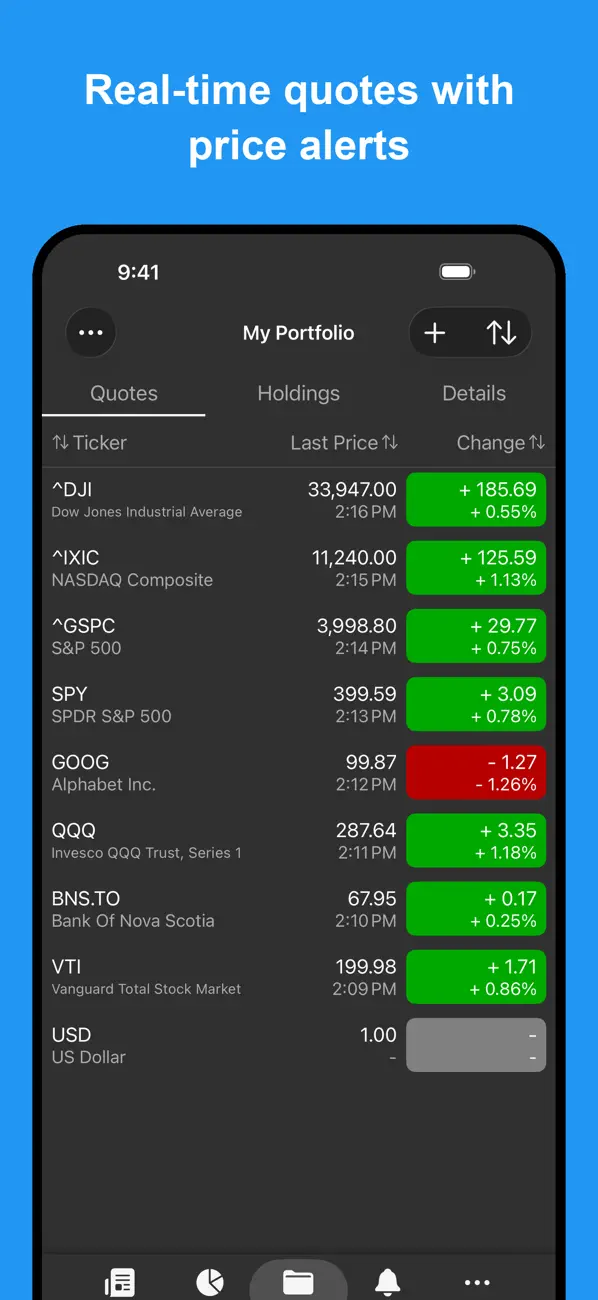
Quickly track the performance of your stock portfolios in the stock market
- Track stocks and equity, funds, ETFs, currencies in the stock market, and unlisted equity
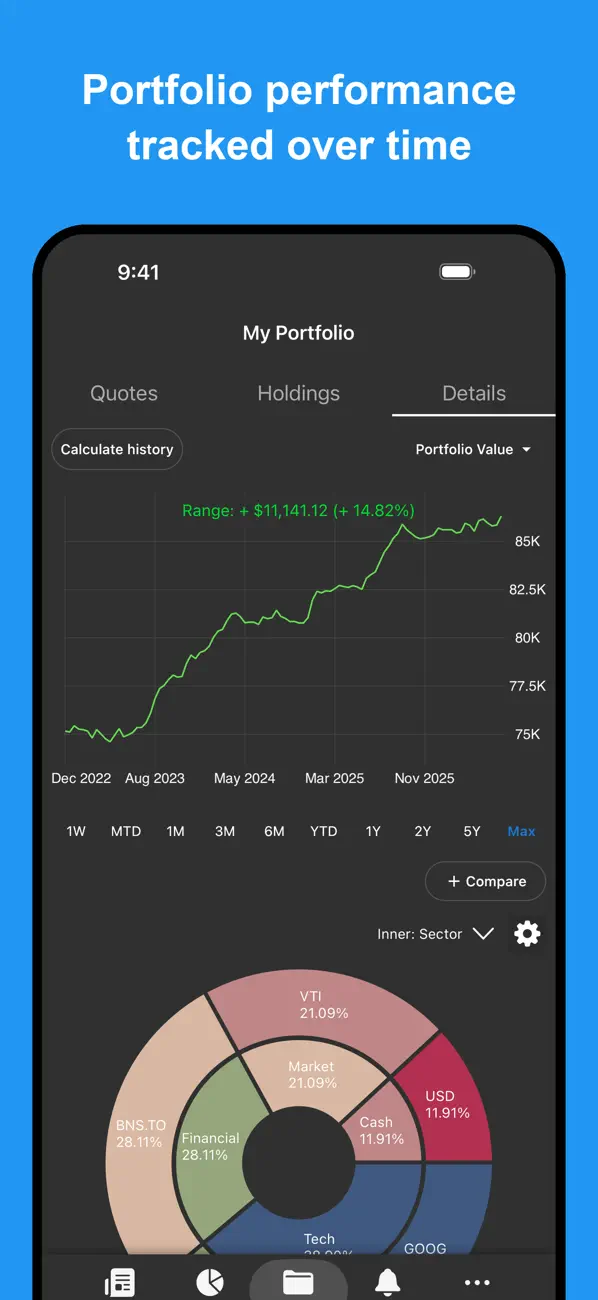
- Manage your stock portfolios and view performance over time, with metrics such as realized gains, unrealized gains, daily and total changes, and annualized gains
- View allocation balance of each stock holding in your overall portfolio with pie charts
- Multiple stocks portfolios support - track multiple stock markets, stock portfolios, or watchlists
- Convert stock portfolios to one currency using real-time foreign exchange rates - mix stock quotes and holdings from different stock markets and display it using a currency of your choice
- Stock market news feed and news for each stock quote. Customize which international markets to retrieve news for.
Real-time stock quotes for US exchanges and some international stock markets
- Foreign exchange rates and currency converter
- Track the Cryptocurrency market. Supports Bitcoin, Ethereum, Litecoin, and alt coins such as Ripple, Bitcoin Cash, Monero, and more.
- Extended hours support for pre-market and after-market hours
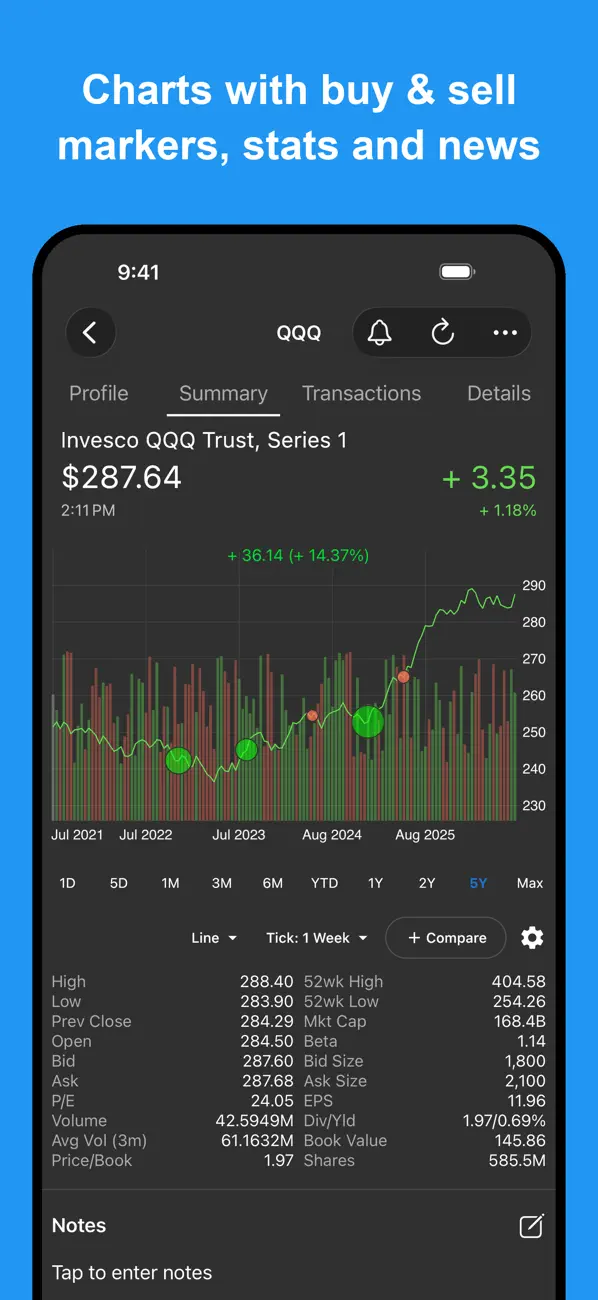
- Full screen charts. Line, Area, Candlestick, Logarithmic and more. Pinch-zoom, trackball, and panning support.
- Detailed info on each stock quote including daily/yearly price ranges, market cap, P/E, EPS, Volume, Average Volume, Beta, Dividend & Yield.
- Password lock support - prevent others from seeing your stock quotes even if your phone is unlocked
- Synchronize across multiple devices
- CSV import and export to Google Drive and Email
Terms of Use (EULA): https://mystocksportfolio.app/terms
Quoi de neuf dans la dernière version ?
- Performance optimizations for large portfolios
- Restore deleted alerts on manage alerts page
- Add Return of Capital transaction type
- On the manage alerts page, add a menu item to recover deleted alerts
- Fix display issue where sometimes numbers are cut off with ellipsis instead of downsizing
- Auto-fetch historical FX rates with mixed currency portfolios
- On the Details tab, add view activity button for transactions
- On manage alerts page, add delete all alerts button
- Fix duplicate copy/paste issue on Mac
- Fix some server auto sync issues
- Update UX on details tab detailed items
- On details historical chart, show warning if re-calculation is needed
- In exported Alerts CSV, include last traded price for subscribers
- Fix navigation issue on iPad
- When generating PDF report, add support for portfolios selection, start/end date selection, and language selection
- Show market closed message
- Add reminder to set display currency when required
- On edit alert page, add copy/duplicate button
- Improve performance of allocation tag sync
- Update UI of custom prices page