• KultureGeek
  • Comparateur de prix
       
iPhoneAddict
 iAddictv5Notre Application iPhone/iPad
  • Accueil Apps
  • Actualité Apple
  • Keynote Apple
  • Firmwares & iTunes
  • Contactez-nous
Accueil » Liste des Apps » Apps Mac » Productivité » Timer Boom
1.0.1 macOS €1,99€ Marian Raafat 0 0 Timer Boom is a countdown timer can do many tasks Do you want to • Sleep while listening to your iTunes music then shutdown automatically after a certain time • sleep your mac automatically after a certain time • Remember to take a break after...
Timer Boom

Timer Boom

macOS / Productivité

1,99€ au lieu de 2,49€
Acheter sur l'App Store

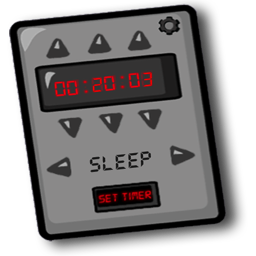
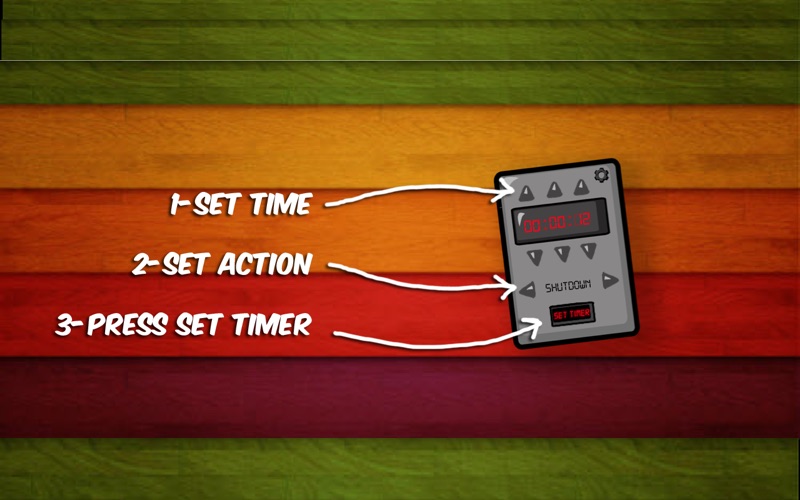
Timer Boom is a countdown timer can do many tasks

Do you want to
• Sleep while listening to your iTunes music then shutdown automatically after a certain time
• sleep your mac automatically after a certain time
• Remember to take a break after hours of hard work
• Countdown the seconds while playing seconds game with your friends
• Remember something in the kitchen

• Adjust hours, minutes, seconds
• Choose the action when the timer is done
-Alert
-Shutdown
-Sleep
-Play iTunes
-Stop iTunes

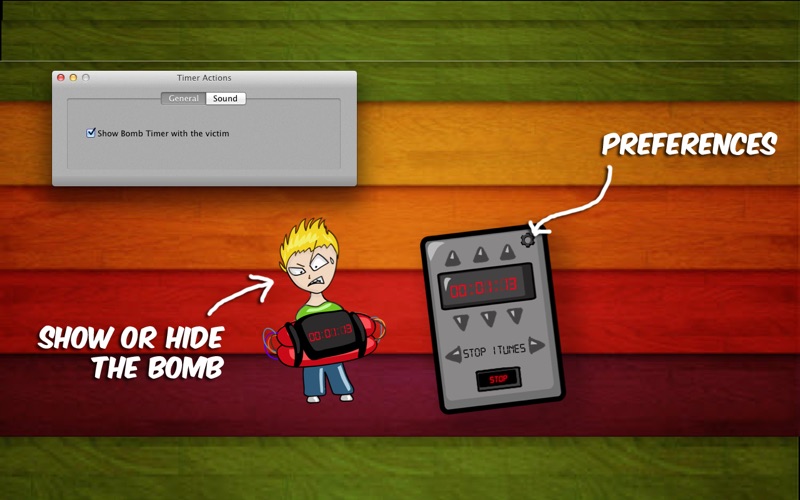
• Option to hear the seconds 10,9,8,...,0
• Option to show or hide the bomb

Feel free to rate
Thank you for your support!

En voir plus...

Quoi de neuf dans la dernière version ?

• Provide an option to show the bomb always on top that will help you track the time while you are working.
• Minor bug fix
  • Screenshot #1 pour Timer Boom
  • Screenshot #2 pour Timer Boom

D'autres applications du développeur

Animated Wallpapers!
/ macOS
Desktop Verse
Desktop Verse
/ macOS
Alive Wallpaper
Alive Wallpaper
/ macOS
Plain Text
Plain Text
/ macOS
Clock Dock
Clock Dock
/ macOS
Dock Battery
Dock Battery
/ macOS
Voir toutes les apps

Note

(0 note)

Détails sur l'application

Version
1.0.1
Taille
2.1 Mo
Version minimum de macOS
10.7
Dernière mise à jour
28/06/2012
Publié par
Marian Raafat

Newsletter App Store

Recevez chaque jour les meilleures promos

Actualité Apple

Image Les Studio Display (XDR) ne fonctionnent pas avec les Mac Intel
Les Studio Display (XDR) ne fonctionnent pas avec les Mac Intel
Image Le Studio Display XDR ne propose pas le 120 Hz avec certains Mac
Le Studio Display XDR ne propose pas le 120 Hz avec certains Mac
Image macOS 26.4 bêta 3 est disponible
macOS 26.4 bêta 3 est disponible
Image MacBook Neo : une fuite d’Apple dévoile quelques caractéristiques
MacBook Neo : une fuite d’Apple dévoile quelques caractéristiques
Partenaires : Actualité iPhone - Culture Geek
©2009-2026 i2CMedia | A propos |