3sparks Chat
iOS Universel / Productivité
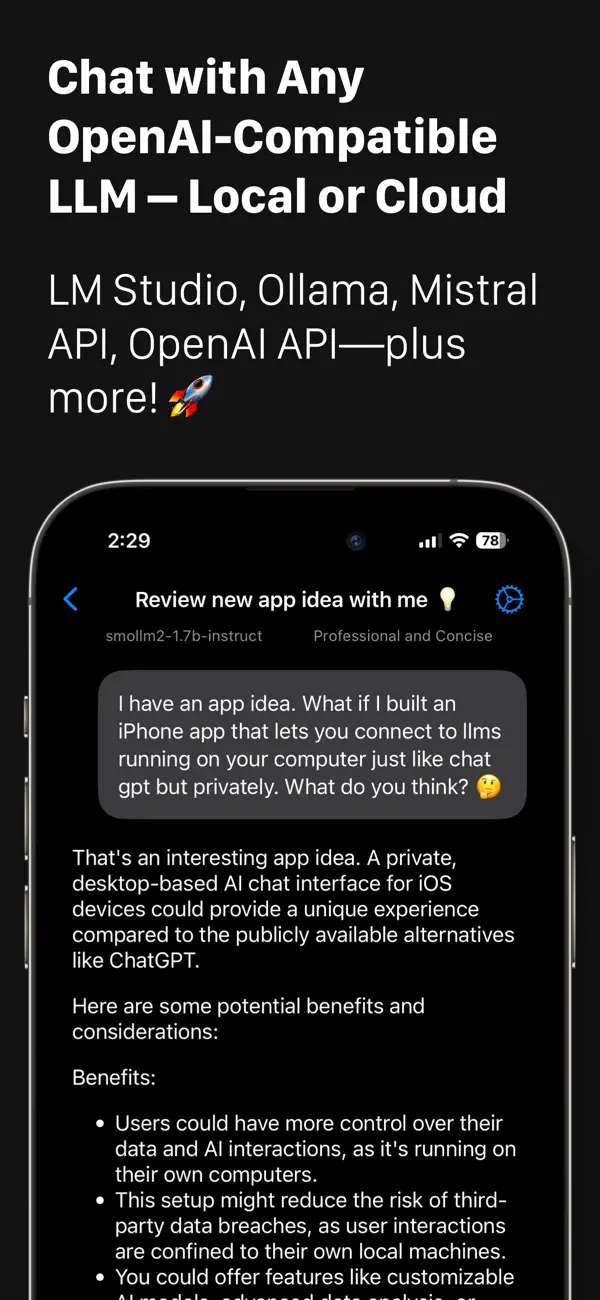
Chat smarter with 3sparks Chat – your personal LLM client for local and cloud models.
Connect to your favorite AI models, whether they’re running on your own machine or through cloud services:
• Local models like LM Studio, Ollama, AnythingLLM, OpenWebUI (Mac, PC, or Linux)
• Cloud-based APIs like OpenAI, Mistral, Gemini and others
Now with powerful new tools:
• Image & file support – Upload images (for vision-capable models) or text files (supported by all models) to enhance your chats.
• Web content reader – Fetch and include webpage content in your chats using Jina Reader
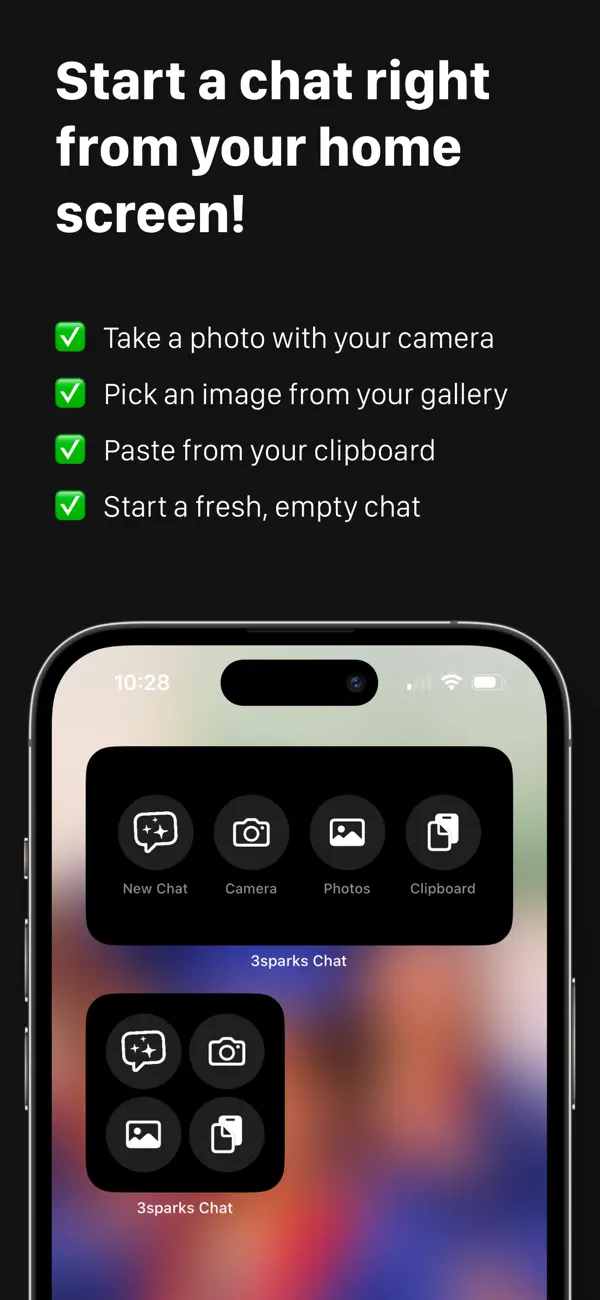
• Home screen widget – Start a new chat instantly by snapping a photo, uploading an image, pasting clipboard text, or starting blank
• Share extension – Send text or links from any app into 3S Chat with a tap
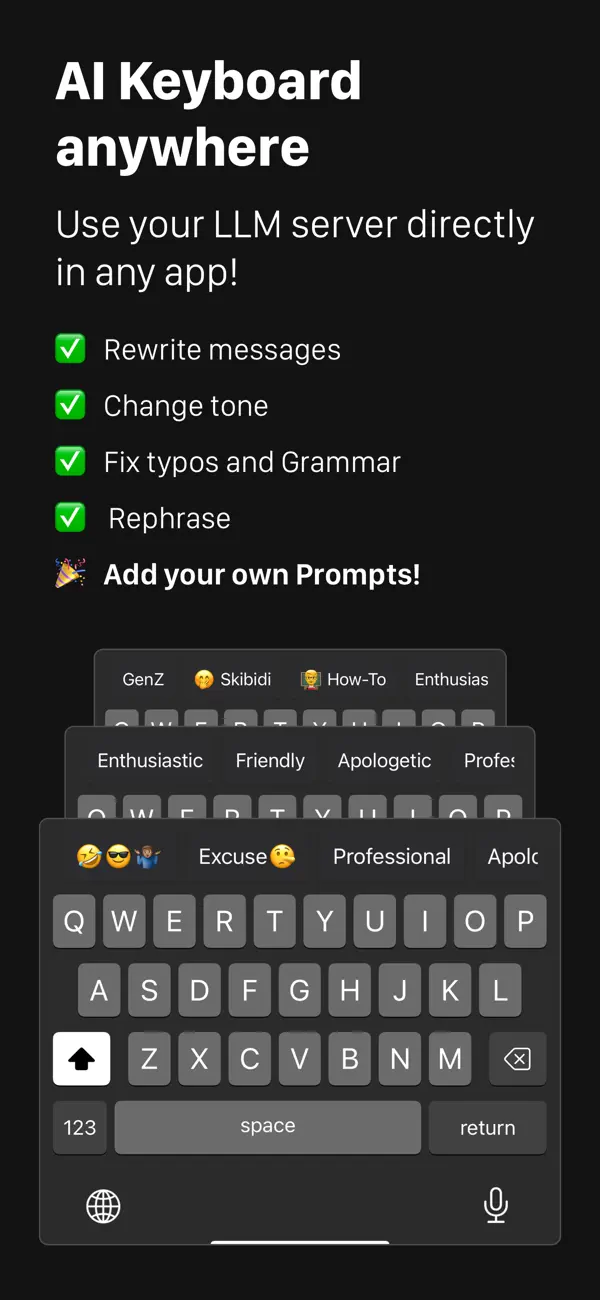
Plus, the built-in AI Keyboard Extension lets you rephrase and fine-tune your writing in any app like iMessage, WhatsApp, and email:
• Customizable prompts for instant rewriting
• Personalized tone and style settings
• No forced cloud storage – your data, your choice
3S Chat is optimized for iOS, iPadOS and VisionOS, so you can enjoy a seamless experience across your iPhone, iPad, and Apple Vision Pro.
Quoi de neuf dans la dernière version ?
Sync That Doesn't Cry Wolf
Fewer "Chat Diverged" warnings: Regenerating a response no longer triggers a false sync-conflict warning, and a real conflict warning now opens a sheet that actually shows the conflict.
Better Error Messages
No more silent "Generation stopped": When a request fails — wrong API key, server out of memory, a model crashing mid-load — the app now tells you exactly what happened instead of showing an empty response.
MCP failures identified: A failing MCP tool integration is reported as a tool problem, not a false "server offline" notice.
MCP Server Fixes
Auth headers that stick: Adding an API key header to an MCP server now saves reliably — typed headers are included on Save, and the Save button re-enables after edits.
Connection edits reach every chat: Fixing an MCP server's URL or key on the connection now applies to existing chats too, and no longer shows duplicate servers in the + menu.
Toggles look like toggles: MCP servers in the + menu show a checkmark when enabled again.