PDF Password Manager
macOS / Utilitaires
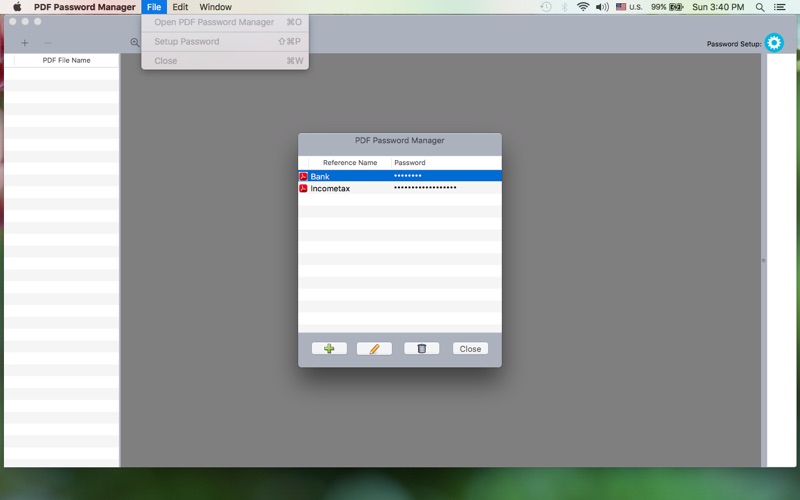
PDF Password Manager is a secure and convenient desktop application designed to help you open password-protected PDF files effortlessly. Instead of entering passwords repeatedly, the app allows you to securely save and manage passwords for your PDF documents, making access quick and seamless.
Once a password is saved, the application automatically unlocks the corresponding PDF whenever you open it. This is especially useful for frequently accessed documents such as bank statements, tax files, invoices, or reports.
All saved passwords are stored in encrypted form to ensure maximum security and privacy.
Key Features
1- Open password-protected PDF files without repeatedly entering passwords
2- Securely store and manage multiple PDF passwords
3- Support for multiple PDFs using the same password
4- Drag and drop PDF files directly into the application
5- Encrypted password storage for enhanced security
6- Simple and user-friendly interface
Why Use PDF Password Manager
1- Saves time by eliminating repeated password entry
2- Keeps sensitive document passwords secure
3- Ideal for managing financial, business, and personal documents
Quoi de neuf dans la dernière version ?
- Improved overall application stability and performance.
- Added support for the latest Tahoe OS version.