Apexline
iOS Universel / Utilitaires
Apexline is the offline flight computer for model rocketry. Whether you fly Estes kits with the kids, chase a target altitude for a contest, or build your own designs, Apexline answers the questions that matter on the launch field — how high will it go, which ejection delay should I use, will it fly straight, what chute do I need, and is this launch-day setup inside a safer planning range — all without an account, ads, or an internet connection.
HOW HIGH WILL IT GO?
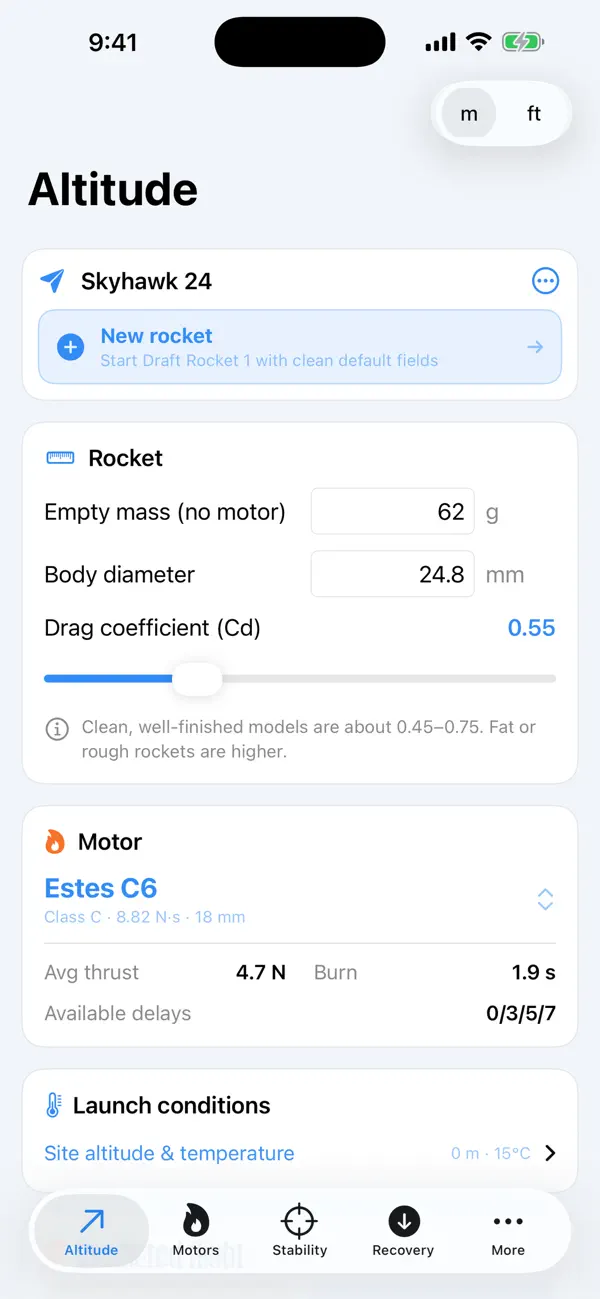
Enter your rocket's mass, diameter, and drag, pick a motor, and Apexline simulates the whole flight — boost, coast, and the climb to apogee. It reports your predicted altitude, time to apogee, maximum speed and acceleration, burnout altitude, and the speed coming off the launch rod, plus a clean altitude-vs-time graph. Launch-site altitude and air temperature are factored in, because thinner air flies higher.
WHICH DELAY? (THE MOST COMMON MISTAKE)
Deploy too early and the parachute shreds; too late and the rocket nose-dives. Apexline calculates the optimum ejection delay — the exact coast time to apogee — then tells you which of your motor's available delays is closest. For a typical Estes Alpha on a C6, it recommends the C6-5, just like the catalog.
WILL IT FLY STRAIGHT?
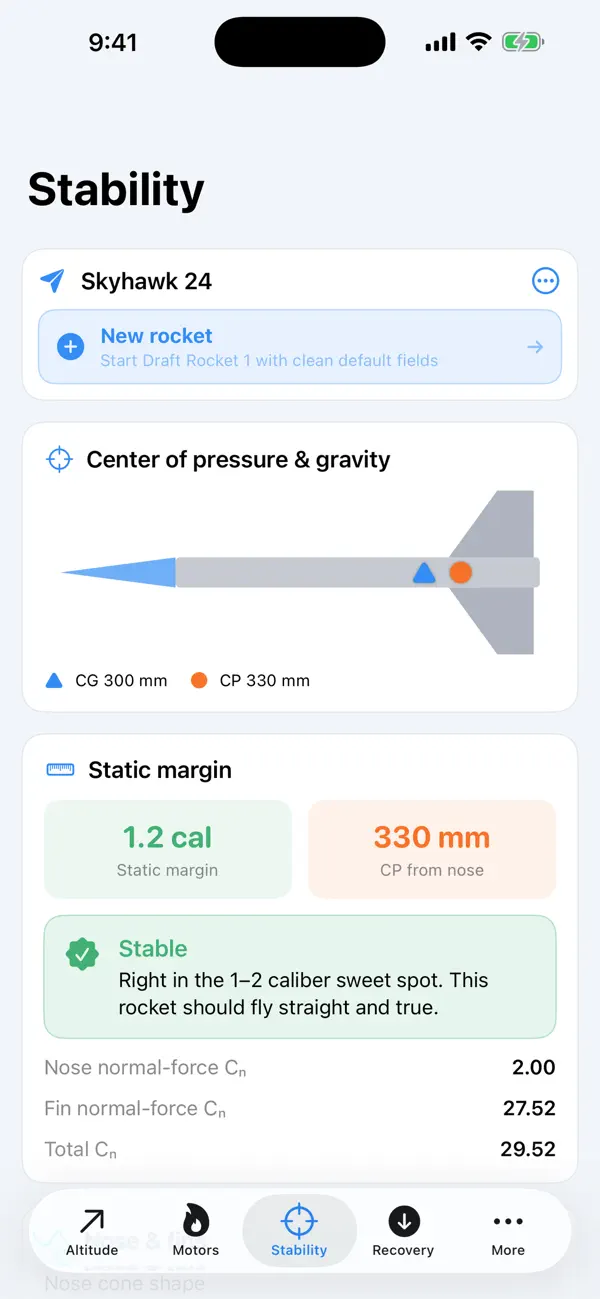
Apexline finds your rocket's center of pressure with the Barrowman equations (the same method desktop simulators use) from your nose and fin geometry. Enter the balance point and it shows the static margin in calibers with a clear verdict — unstable, marginal, stable, or overstable — and a live diagram of CP and CG so you can see the margin before you fly.
PICK THE RIGHT MOTOR
Browse a built-in catalog of common Estes, Quest, AeroTech and Klima motors, organized by impulse class, with total impulse, thrust, burn time, available delays, and masses. Not sure what "C6-5" means? The decoder spells out the class, the average thrust, and the delay from any motor code you type.
LAND IT SAFELY
Size a parachute or streamer for a gentle landing. Apexline computes descent rate and landing energy, recommends a canopy size for your target descent speed, and estimates downwind drift so you don't lose your rocket on a windy day.
RUN A LAUNCH READINESS CARD
The Launch Readiness Card combines altitude simulation, Barrowman stability, descent and drift estimates, field size, wind, rod-exit speed, and ejection delay into a single go/caution/hold checklist. It is designed for field planning, not hardware control.
LEARN THE HOBBY
Twelve illustrated guides cover how a rocket flies, reading motor codes, the impulse ladder, choosing a delay, stability, altitude, recovery, your first launch, hitting a target altitude, a plain-language summary of the Model Rocket Safety Code, comparing motors side by side, and reading your flight statistics — plus a 40-term glossary, quick-reference tables, and a bundled offline field-card deck.
BUILT THE WAY APPS SHOULD BE
• Completely offline — works on any launch field, no signal needed
• No account, no sign-in, no ads, no tracking, no in-app purchases
• Save your rockets and they flow across every calculator
• Metric or imperial results
• Clean, fast, and built for repeat field use
Apexline is an estimation and reference tool for a great hobby. Motor specifications are typical published values for planning — always confirm against the certified data on the motor — and every flight should follow the official Model Rocket Safety Code, the motor instructions, and your local laws.
Quoi de neuf dans la dernière version ?
New Two-Stage & Cluster Planner: simulate a booster + sustainer flight or a multi-motor cluster - staging altitude and speed, total apogee, and the right sustainer delay to fly. New Flight Duration Planner predicts your total flight time from liftoff to landing and sizes the chute to hit a contest duration window. Plus, share any rocket design as a file and import designs from teammates - perfect for clubs and student teams, no account needed.